 Lucid Trading
Lucid Trading JournalFlex, Black & Direct Plans
TradeLog pre-loads editable Lucid Trading presets for LucidFlex, LucidBlack and LucidDirect as a starting point you verify and adjust to your current plan. Monitor your trailing drawdown, safety net, daily loss limit and consistency in real-time.
Visit Lucid Trading official website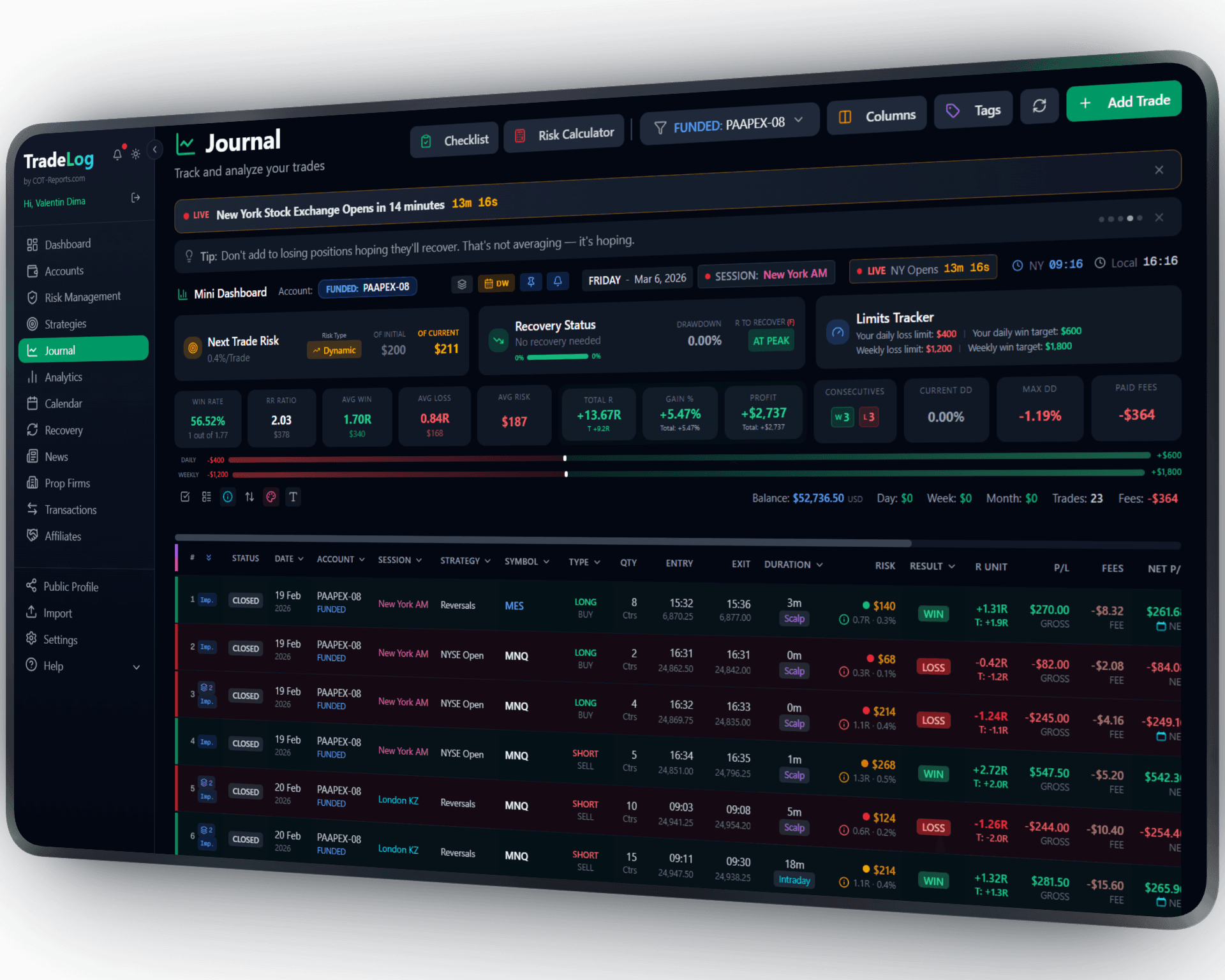
The founder's own prop-firm account (simulated trading). Not a typical result. Past performance does not guarantee future results.
What TradeLog Tracks for Lucid Trading
Each Lucid Trading rule you set is tracked from your trades, with warnings as you approach a limit.
Trailing Drawdown
Real-time monitoring of your trailing drawdown threshold across all Lucid plan types.
Safety Net
Track the safety net level on funded accounts: the balance at which your drawdown floor stops trailing.
Profit Target
Track your progress toward evaluation profit targets. Different targets per account size.
Daily Loss Limit
Monitor your daily loss limit to avoid breaching the maximum allowed loss per day.
Consistency Rules
Consistency rule tracking where applicable. Stay compliant with best day limits.
Payout Eligibility
Minimum payout, profitable-days and minimum daily-profit conditions — all tracked against the values you set.
How to Use TradeLog with Lucid Trading
Create Account
Set account status to "Evaluation" and select Lucid Trading from the prop firm presets. Choose Flex, Black, or Direct.
Connect Platform
Install our free NinjaTrader Add-On, or import trades via Tradovate CSV export.
Trade & Monitor
Trade normally. TradeLog tracks all rules and shows your progress in real-time.
Set up in seconds. Works automatically from there.
Tools That Can Help You Pass
Beyond rule tracking, TradeLog gives you tools that can help you trade more consistently.
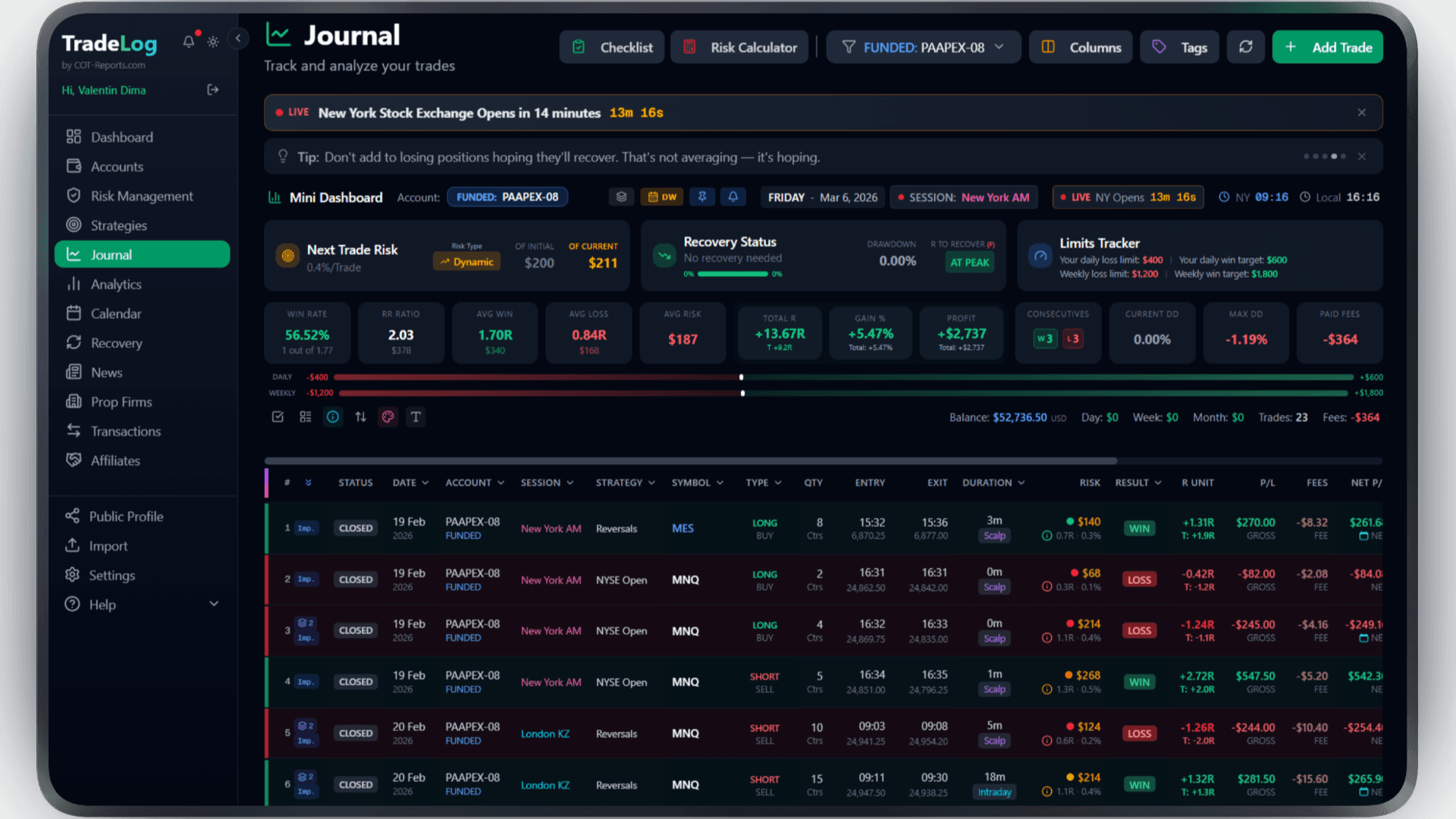
The founder's own prop-firm account (simulated trading). Not a typical result. Past performance does not guarantee future results.
Risk Calculator
Calculate your exact position size based on your risk percentage and stop loss. Fixed, compounding, or drawdown-aware modes.
Pre-Trade Checklist
Build a custom checklist for your strategy. Verify every condition before entering a trade - no more impulsive entries.
Trade Grading System
Grade each trade based on how well it matched your setup criteria. A+, A, B grades help you stay disciplined.
Decision Tree
Create a step-by-step decision flow for your strategy. Follow the tree, check the items, get your grade - every trade.
Model Analyzer
See which grades, checklist elements, and decision paths produce the best results. Data-driven strategy refinement.
Performance Analytics
Equity curves, session analysis, R-efficiency, symbol performance, and duration breakdown - all in one dashboard.
Frequently Asked Questions
Everything you need to know about Lucid Trading
Does TradeLog support all Lucid Trading plans?
Yes. TradeLog pre-loads editable presets for LucidFlex, LucidBlack and LucidDirect covering trailing drawdown, daily loss limit, safety net and consistency as a starting point. You verify and adjust each value to your current plan, then TradeLog tracks what you set.
What is the safety net and how does TradeLog track it?
The safety net is a drawdown floor on funded accounts that locks in as you profit. TradeLog monitors this level in real-time and shows how far above the floor your balance is.
How do I sync my Lucid Trading trades to TradeLog?
Lucid Trading accounts use NinjaTrader/Tradovate. Install our free NinjaTrader Add-On for automatic sync, or import via Tradovate CSV export.
Does TradeLog track Lucid's payout requirements?
Yes. TradeLog monitors the minimum-payout, profitable-days and minimum-daily-profit conditions. Set each value to match your plan, and the payout eligibility checker shows all conditions in one view.
Ready to Track Your Lucid Trading Account?
Join traders who use TradeLog to track evaluations and funded accounts in one place.
No credit card required