
Binance Trading Journal
Binance is the world's largest cryptocurrency exchange by trading volume, serving millions of traders across Spot and Futures markets. TradeLog connects directly to your Binance account via a read-only API key, automatically importing and matching your trades so you can focus on trading while your journal stays perfectly up to date.
Visit Binance official website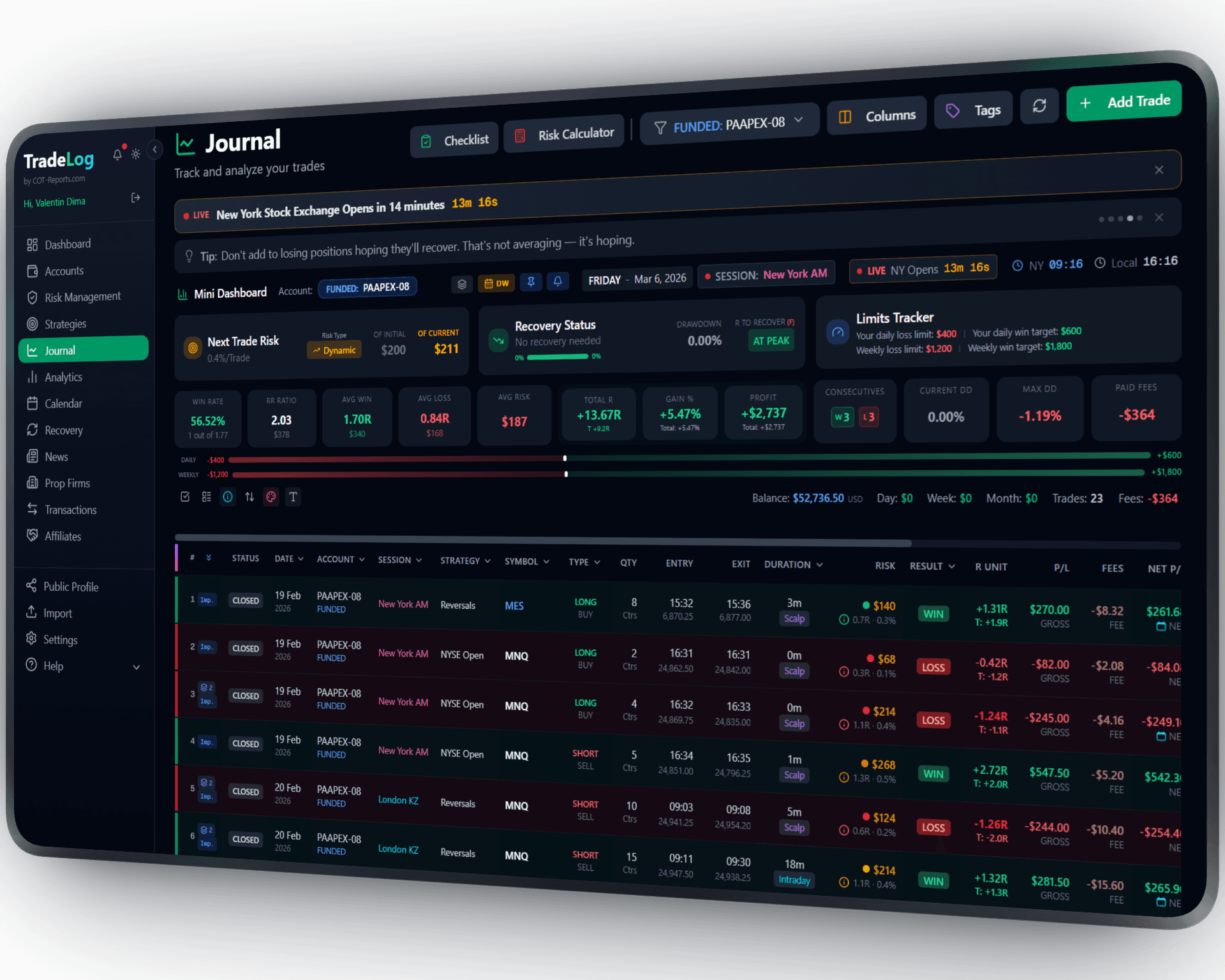
The founder's own prop-firm account (simulated trading). Not a typical result. Past performance does not guarantee future results.
How It Works
Connect your Binance account with a read-only API key. TradeLog fetches your trade history, applies FIFO matching to pair entries with exits, and calculates your realized PnL automatically. A 5-minute cooldown between syncs ensures accurate data without hitting rate limits.
Create a Read-Only API Key
Log into your Binance account and generate a new API key with read-only permissions. No trading or withdrawal access is needed -- TradeLog only reads your trade history.
Add Connection in TradeLog
Go to your TradeLog account settings and add a new Binance connection. Paste your API key and secret. Select whether you trade Spot, Futures, or both.
Click Sync
Hit the sync button and TradeLog will fetch your trades, match them using FIFO logic, and calculate PnL for each position. Future syncs happen with a single click.
Set up in seconds. Works automatically from there.
Binance&TradeLog
Spot and Futures Support
Import trades from both Binance Spot and USDT-M Futures markets. TradeLog handles the different order structures and fee models of each market type automatically.
FIFO Trade Matching
TradeLog uses First-In-First-Out matching to pair your buy and sell orders into complete trades. Partial fills, scaled entries, and multiple exits are all handled correctly.
Read-Only Security
Your API key only needs read permissions. TradeLog cannot place orders, make withdrawals, or modify anything on your Binance account. Your funds remain completely under your control.
Auto PnL Calculation
Realized profit and loss is calculated automatically for every matched trade, including trading fees. No manual math or spreadsheet formulas required.
Multi-Coin Tracking
Track performance across all your traded pairs -- BTC, ETH, SOL, and hundreds of altcoins. Filter and analyze results by individual coin or across your entire portfolio.
Crypto-Specific Analytics
Access equity curves, win rate breakdowns, session heatmaps, and strategy-level analysis tailored to crypto markets. Understand which coins, sessions, and setups drive your results.
Sharpen Your Trading Edge
Go beyond logging trades. Build discipline, grade your setups, and let data guide your improvement.
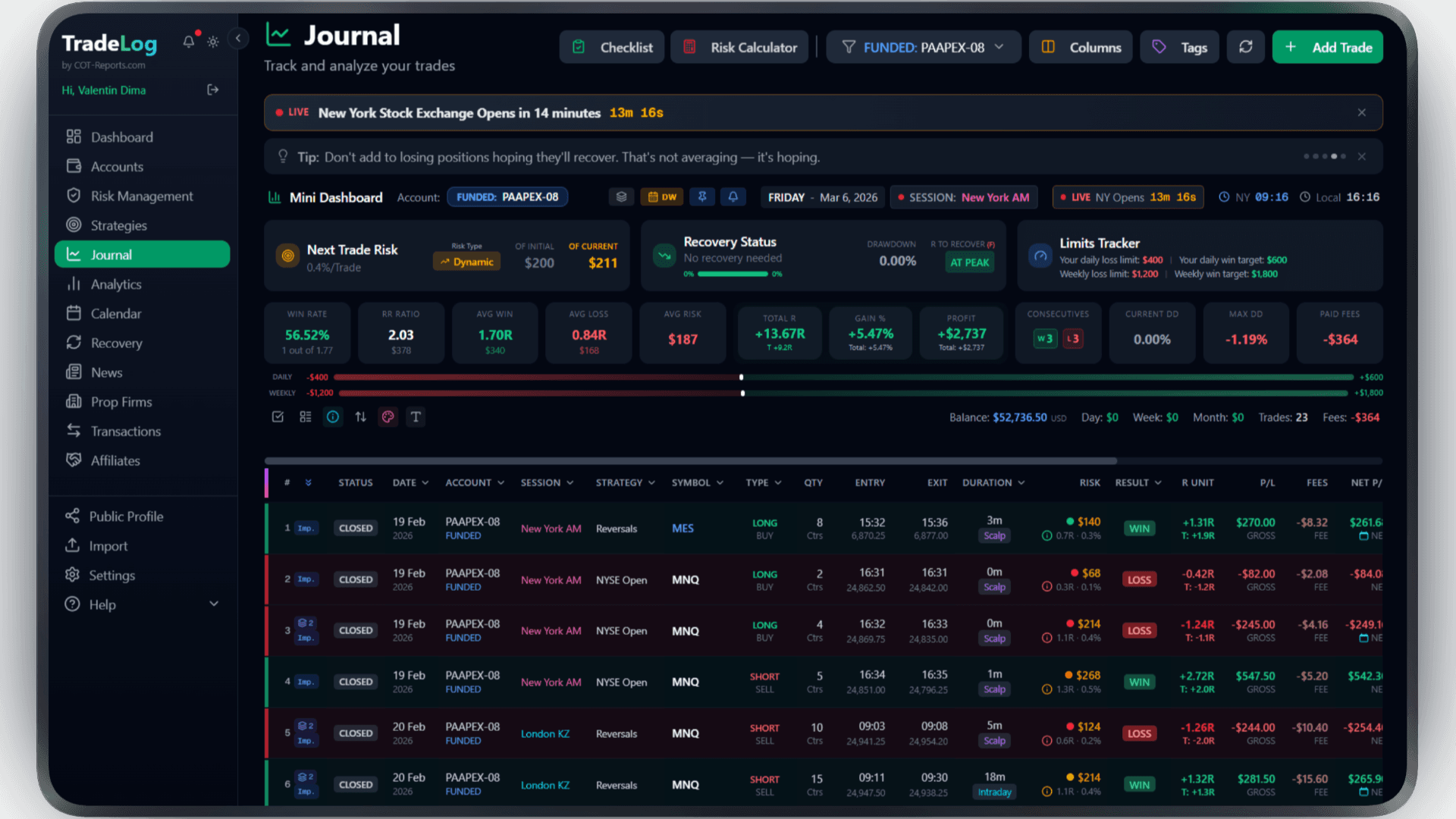
The founder's own prop-firm account (simulated trading). Not a typical result. Past performance does not guarantee future results.
Risk Calculator
Calculate position size based on your risk percentage and stop loss. Fixed, compounding, or drawdown-aware modes.
Pre-Trade Checklist
Build a custom checklist for your strategy. Verify every condition before entering - no more impulsive trades.
Trade Grading
Grade each trade based on setup quality. A+, A, B grades track your discipline over time.
Decision Tree
Create a step-by-step decision flow for entries. Follow the tree, check the items, get your grade.
Model Analyzer
See which grades and decision paths produce the best results. Data-driven strategy refinement.
Advanced Analytics
R-efficiency, session performance, symbol breakdown, trade duration analysis - all in one dashboard.
Frequently Asked Questions
Everything you need to know about Binance integration
Is it safe to connect my Binance account?
Yes. TradeLog uses a read-only API key that can only view your trade history. It has no permission to place trades, cancel orders, or withdraw funds. Your API secret is encrypted and stored securely.
Which Binance markets are supported?
TradeLog supports Binance Spot and USDT-M Futures markets. You can choose to sync one or both when setting up your connection. Coin-M Futures support is planned for a future update.
How does FIFO trade matching work?
FIFO (First-In-First-Out) means the earliest open position is matched with the earliest closing order. This ensures accurate PnL calculation even when you have multiple entries at different prices or scale out of positions gradually.
How often can I sync my trades?
You can sync your trades on demand with a 5-minute cooldown between syncs. This cooldown prevents excessive API calls and ensures Binance rate limits are respected. Each sync fetches all new trades since your last sync.
Do I need a Binance Pro or VIP account?
No. TradeLog works with any Binance account, including standard free accounts. There are no special account tiers or Binance subscriptions required to use the API connection (beta).
Brokers that use Binance
Trade Binance at any of these and connect the account to TradeLog through the API (beta).
Also works with: Bybit, OKX — View all platforms
Ready to Track Your Binance Trades?
Join traders who use TradeLog to analyze their performance and improve their results.
No credit card required