
Tradovate Trading Journal
Connect your Tradovate account to TradeLog for automatic real-time trade sync. Perfect for prop firm traders using Tradovate-based platforms like Apex Trader Funding, Tradeify, Take Profit Trader, and more. Track your drawdown, monitor challenge rules, and analyze performance, all updated live.
Visit Tradovate official website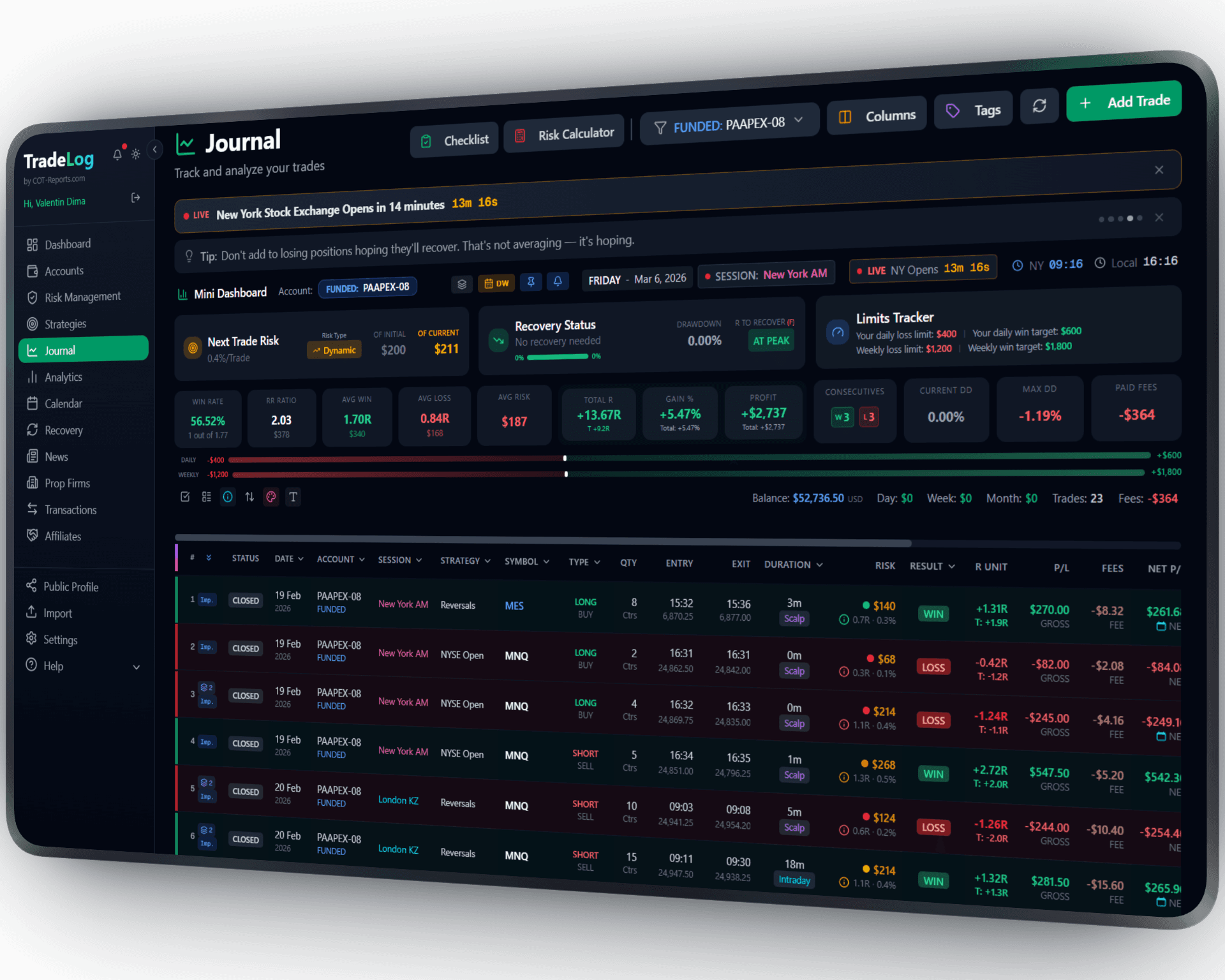
The founder's own prop-firm account (simulated trading). Not a typical result. Past performance does not guarantee future results.
How It Works
Connect your Tradovate account for automatic real-time trade sync. TradeLog captures every fill, order, and position as it happens. Works with all Tradovate-based prop firms. CSV import also available as backup.
Connect Your Account
In TradeLog, go to Accounts and add your Tradovate connection. Enter your credentials to authorize access to your trading data.
Select & Sync
Choose which Tradovate account to sync. TradeLog pulls your complete trade history including all fills, orders, and positions.
Trade & Track
Every trade syncs automatically in real-time. Monitor drawdown, add strategy tags, and use full analytics to improve.
Set up in seconds. Works automatically from there.
 Tradovate&TradeLog
Real-Time Auto-Sync
Connect once and every trade syncs automatically in real-time. No more manual CSV exports.
Prop Firm Tracking
Pre-configured presets for Apex, Tradeify, Take Profit Trader, and other Tradovate-based prop firms with drawdown monitoring.
Futures Analytics
Tick-based PnL calculations, contract-specific analysis, and session performance for ES, NQ, CL, GC, and more.
Fast Processing
Import hundreds of trades in seconds. Duplicate detection prevents double-counting on re-imports.
CSV Import Backup
Prefer manual control? You can still import trades via CSV at any time alongside auto-sync.
Accurate Matching
FIFO matching algorithm pairs entries with exits correctly, even for partial fills and scaled positions.
Sharpen Your Trading Edge
Go beyond logging trades. Build discipline, grade your setups, and let data guide your improvement.
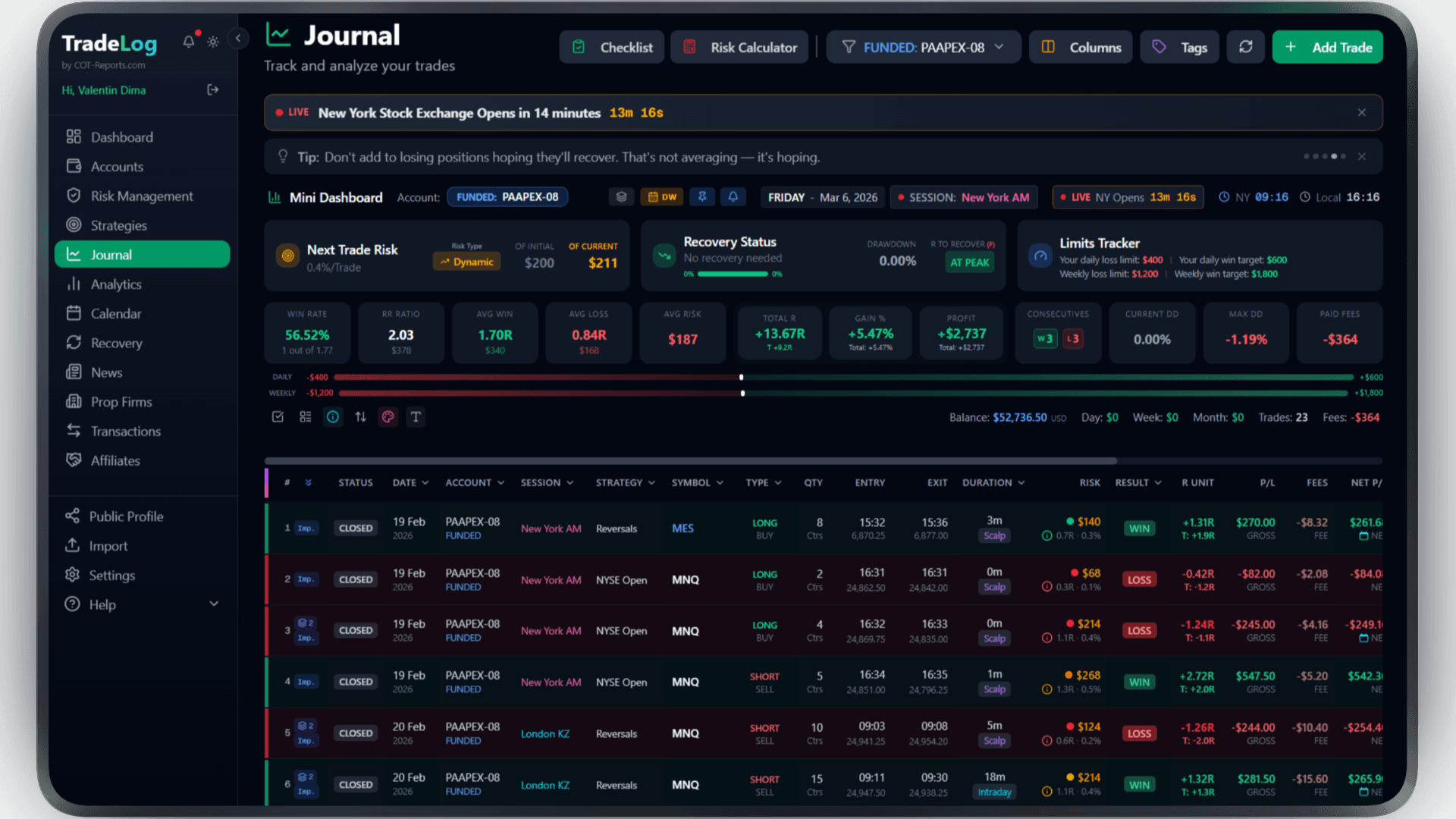
The founder's own prop-firm account (simulated trading). Not a typical result. Past performance does not guarantee future results.
Risk Calculator
Calculate position size based on your risk percentage and stop loss. Fixed, compounding, or drawdown-aware modes.
Pre-Trade Checklist
Build a custom checklist for your strategy. Verify every condition before entering - no more impulsive trades.
Trade Grading
Grade each trade based on setup quality. A+, A, B grades track your discipline over time.
Decision Tree
Create a step-by-step decision flow for entries. Follow the tree, check the items, get your grade.
Model Analyzer
See which grades and decision paths produce the best results. Data-driven strategy refinement.
Advanced Analytics
R-efficiency, session performance, symbol breakdown, trade duration analysis - all in one dashboard.
Frequently Asked Questions
Everything you need to know about Tradovate integration
How do I export trades from Tradovate?
In Tradovate, navigate to Account > Performance. Click Export and download your Positions, Fills, and Orders files as CSV. Upload all three to TradeLog.
Does it work with Tradovate-based prop firms?
Yes. Tradovate is the backend for many prop firms including Apex, Tradeify, Take Profit Trader, and others. Export from Tradovate and import into TradeLog with the correct prop firm preset selected.
Can I import historical trades?
Yes. When you connect an account, TradeLog imports its history automatically through the official Tradovate API. You can run the import again at any time from Settings — the last 7 days, the last 30 days, a date range of your choice or the full history. Uploading a CSV export from Tradovate works too.
How does auto-sync work?
Once you connect your Tradovate account, TradeLog imports your trades through the official Tradovate API — no files to export. A sync runs automatically after each trading session, and you can start one yourself at any time from Settings. Tradovate's authorization expires from time to time; when it does, TradeLog asks you to reconnect.
Brokers that use Tradovate
Trade Tradovate at any of these and TradeLog can read the account.
Also works with: NinjaTrader, Rithmic, TopStep — View all platforms
Ready to Track Your Tradovate Trades?
Join traders who use TradeLog to analyze their performance and improve their results.
No credit card required