
NinjaTrader Trading Journal
NinjaTrader is a futures trading platform used by many retail and prop firm traders, often with Kinetick market data. TradeLog automatically syncs every trade so you can focus on execution, not data entry.
Visit NinjaTrader official website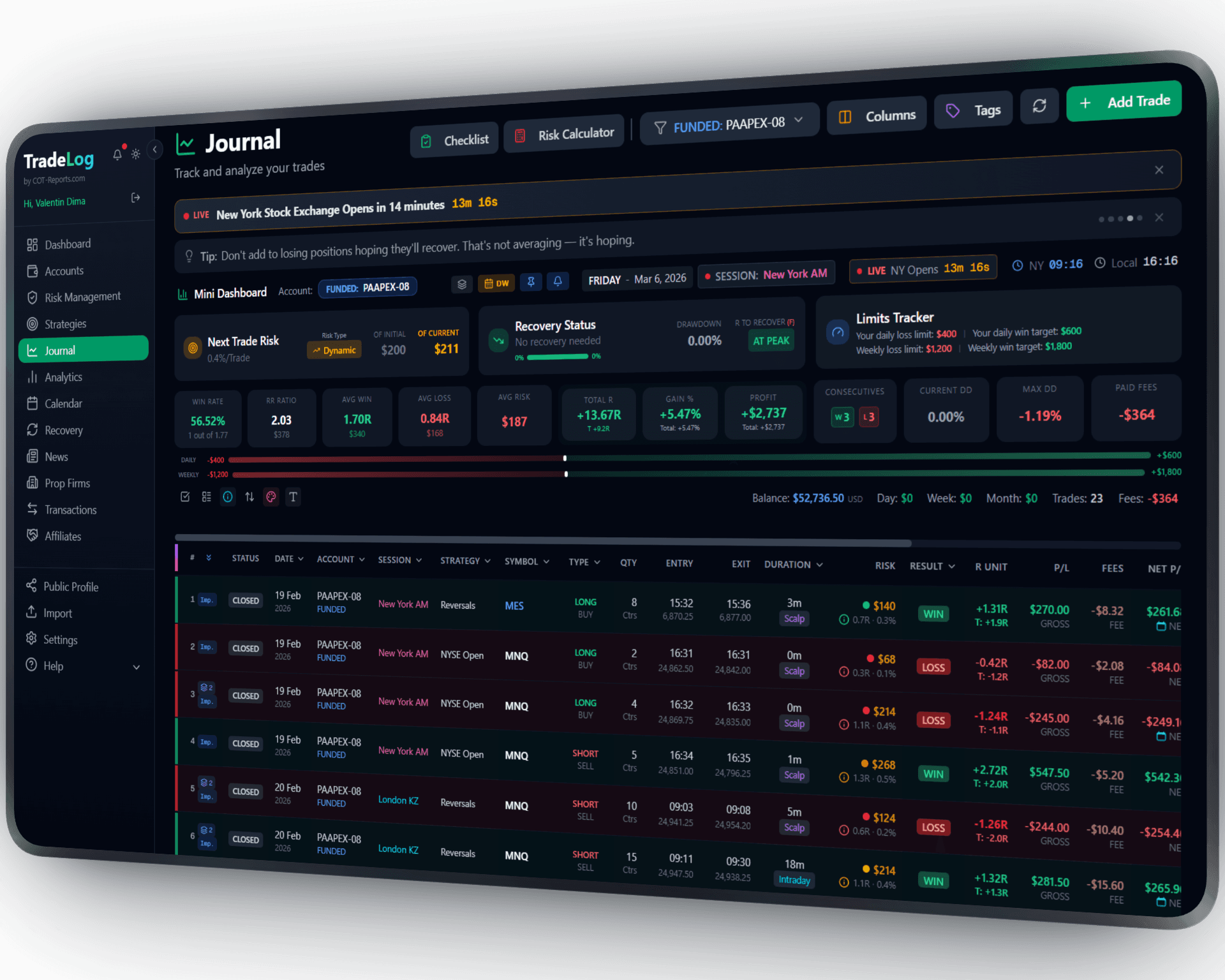
The founder's own prop-firm account (simulated trading). Not a typical result. Past performance does not guarantee future results.
How It Works
Install TradeLog's free NinjaTrader robot and your trades are automatically logged in real-time. Every fill, every exit, every PnL - captured instantly without lifting a finger.
Download the robot
Download the free TradeLog robot for NinjaTrader 8 from your TradeLog dashboard. It takes less than 30 seconds.
Install in NinjaTrader
Import the robot into NinjaTrader via Control Center > Tools > Import > NinjaScript Add-On. Restart NinjaTrader if it asks you to. NinjaTrader will show a standard third-party warning — press OK.
Enter Your API Key
Right-click your chart, choose Indicators…, find TradeLogSyncV3 and double-click it. Paste your TradeLog API key into the settings on the right, then press OK. Your trades start syncing immediately.
Set up in seconds. Works automatically from there.
Want the complete walkthrough?
Read the full NinjaTrader User Guide -- install, connect, every setting explained, plus how to use the on-chart tools with or without a TradeLog account.
 NinjaTrader&TradeLog
Built for Futures Traders
Designed specifically for futures instruments like ES, NQ, CL, GC, and more. Tick values, contract sizes, and margin calculations are handled automatically.
Prop Firm Integration
Track your Apex Trader Funding and other NinjaTrader-based prop firm accounts. Monitor drawdown limits, payout eligibility, and rule compliance in real-time.
Real-Time Trade Sync
Every trade is logged the moment it fills. Entry price, exit price, PnL, quantity, and timestamps are captured automatically with zero manual input.
All NinjaTrader Instruments
Supports every instrument available in NinjaTrader including futures, forex, and equities. Multi-account sync lets you track sim and live accounts simultaneously.
Drawdown Tracking
Monitor your trailing drawdown in real-time with visual alerts. Critical for prop firm evaluation accounts where a single breach means losing the account.
Advanced Analytics
Analyze your NinjaTrader performance with equity curves, session heatmaps, win rate breakdowns, and R-multiple tracking. Identify your best setups and trading sessions.
Sharpen Your Trading Edge
Go beyond logging trades. Build discipline, grade your setups, and let data guide your improvement.
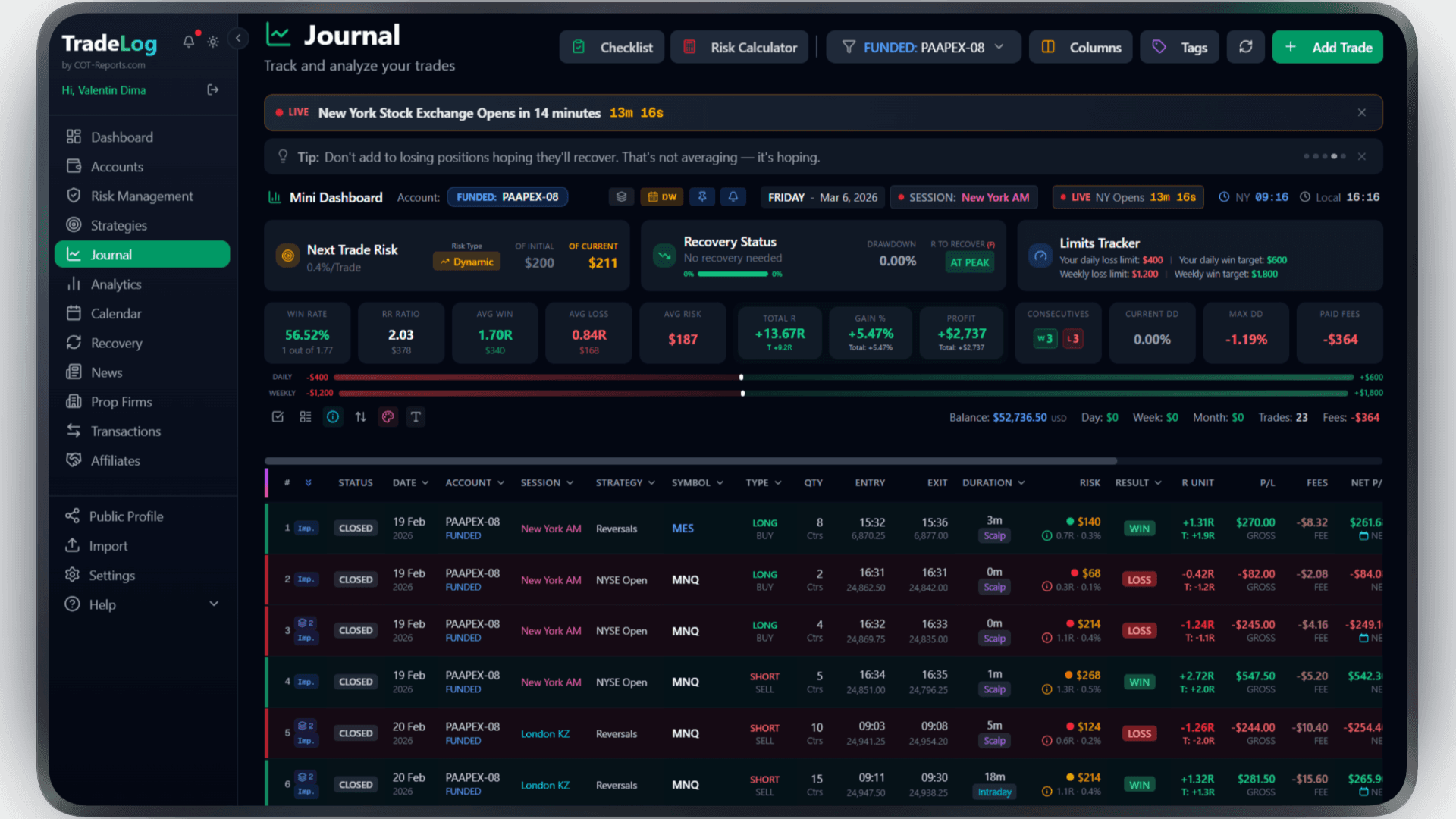
The founder's own prop-firm account (simulated trading). Not a typical result. Past performance does not guarantee future results.
Risk Calculator
Calculate position size based on your risk percentage and stop loss. Fixed, compounding, or drawdown-aware modes.
Pre-Trade Checklist
Build a custom checklist for your strategy. Verify every condition before entering - no more impulsive trades.
Trade Grading
Grade each trade based on setup quality. A+, A, B grades track your discipline over time.
Decision Tree
Create a step-by-step decision flow for entries. Follow the tree, check the items, get your grade.
Model Analyzer
See which grades and decision paths produce the best results. Data-driven strategy refinement.
Advanced Analytics
R-efficiency, session performance, symbol breakdown, trade duration analysis - all in one dashboard.
Frequently Asked Questions
Everything you need to know about NinjaTrader integration
Does the robot work with NinjaTrader 8?
Yes, the TradeLog robot is built specifically for NinjaTrader 8. It installs as a standard NinjaScript Add-On and runs in the background without affecting your platform performance or chart speed.
Can I track my Apex or TopStep prop firm account?
Absolutely. TradeLog has built-in support for prop firm accounts including Apex Trader Funding and other NinjaTrader-based evaluation firms. You can monitor drawdown limits, track payout eligibility, and see how close you are to each rule.
Does it sync trades from my simulation account too?
Yes, you can sync trades from both live and simulation accounts. This is especially useful during prop firm evaluations where you trade on a sim account. The robot follows the account selected in Chart Trader on that chart.
What data is captured for each trade?
The robot captures entry and exit prices, fill times, quantity, PnL, fees, instrument details, and order type. You can then add your own notes, tags, strategy labels, and screenshots directly in TradeLog.
Is there a CSV import option as an alternative?
Yes, if you prefer not to use the robot, you can export your trade history from NinjaTrader as a CSV file and import it into TradeLog. However, the robot provides real-time sync which most traders find more convenient.
What market data feed should I use with NinjaTrader?
We recommend Kinetick (kinetick.com), the official market data service by NinjaTrader. It provides reliable, low-latency data for futures, forex, and equities at competitive prices, with free end-of-day data available. Kinetick integrates seamlessly with NinjaTrader and ensures accurate price data for your trade journal.
Brokers that use NinjaTrader
Trade NinjaTrader at any of these and TradeLog can read the account.
Also works with: Tradovate, MetaTrader 4, Rithmic — View all platforms
Ready to Track Your NinjaTrader Trades?
Join traders who use TradeLog to analyze their performance and improve their results.
No credit card required