
cTrader API Auto-Sync
Connect your cTrader account directly via the Open API - no cBot installation needed. TradeLog uses OAuth to securely access your trading history from any cTrader broker or prop firm. Sync historical trades, pull data on demand, and keep your journal up to date automatically.
Visit cTrader API official website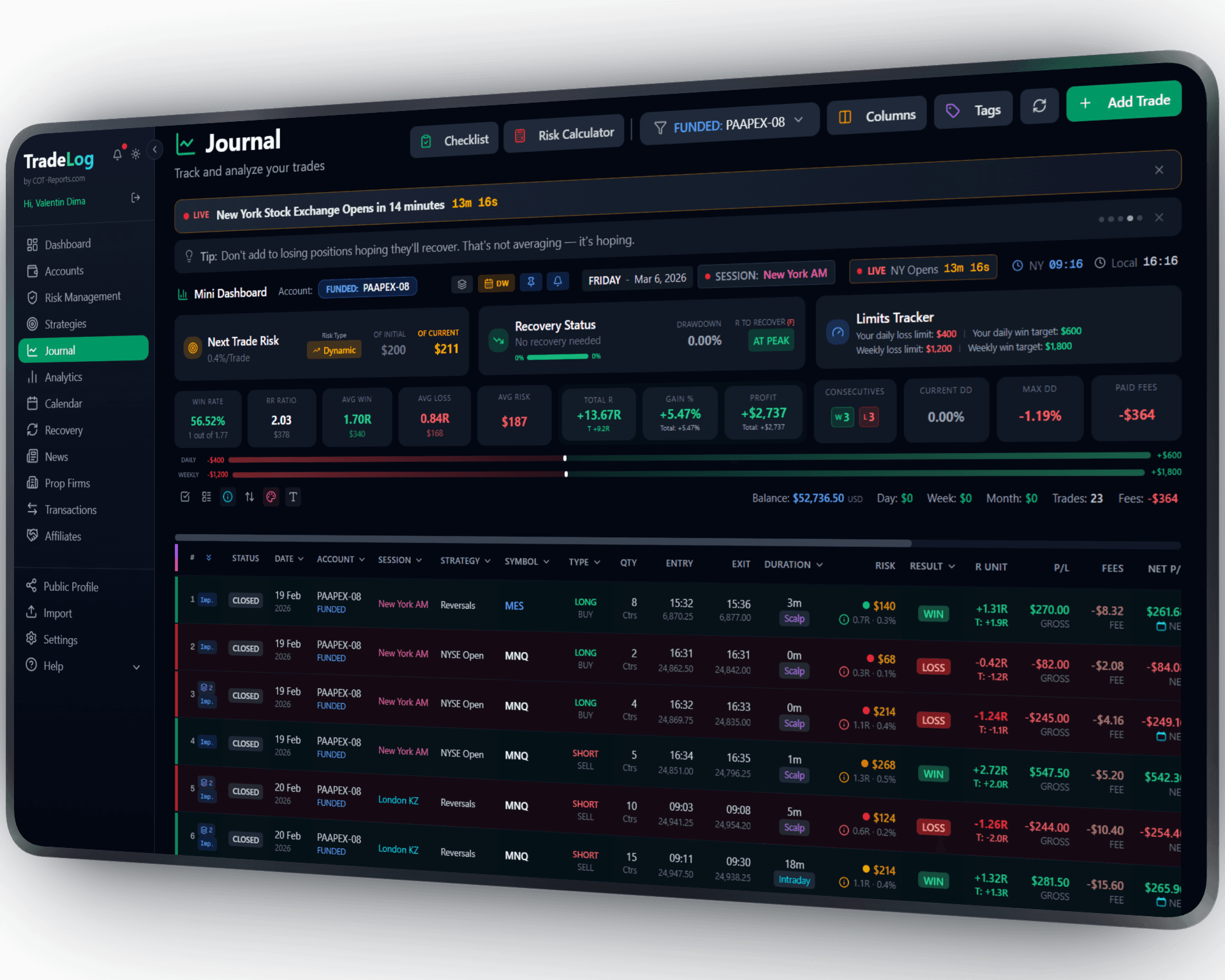
The founder's own prop-firm account (simulated trading). Not a typical result. Past performance does not guarantee future results.
How It Works
TradeLog connects to cTrader's Open API using secure OAuth authentication. Your trades are fetched directly from cTrader's servers - no software to install, no cBot to run. Works even when cTrader is closed.
Click Connect
In your TradeLog settings, click the Connect cTrader button. A secure OAuth popup will open.
Authorize Access
Log in with your cTrader ID and click Allow. TradeLog only requests read-only trading access.
Select Accounts & Sync
Choose which cTrader accounts to link, then click Sync. Your trades will be imported automatically with full P&L details.
Set up in seconds. Works automatically from there.
 cTrader API&TradeLog
No Installation Required
Unlike the cBot method, API sync works without installing anything on your computer. Connect via OAuth and sync trades from any device.
Works with All cTrader Brokers
Compatible with every cTrader broker including IC Markets, Pepperstone, FxPro, and all 250+ Spotware-licensed brokers and prop firms.
Secure OAuth Connection
Your credentials are never shared with TradeLog. We use industry-standard OAuth 2.0 with read-only scope. Tokens are encrypted with AES-256-GCM.
Prop Firm Compatible
Works with FTMO, FundedNext, PipFarm, Alpha Capital Group, and other prop firms using cTrader. Track evaluations and funded accounts.
Historical Data Import
Sync trades from any date range - not just recent ones. Import your full trading history with a custom date range selector.
Advanced Analytics
Every synced trade includes entry/exit prices, P&L, commissions, and swap. Analyze performance with equity curves, win rates, and more.
Sharpen Your Trading Edge
Go beyond logging trades. Build discipline, grade your setups, and let data guide your improvement.
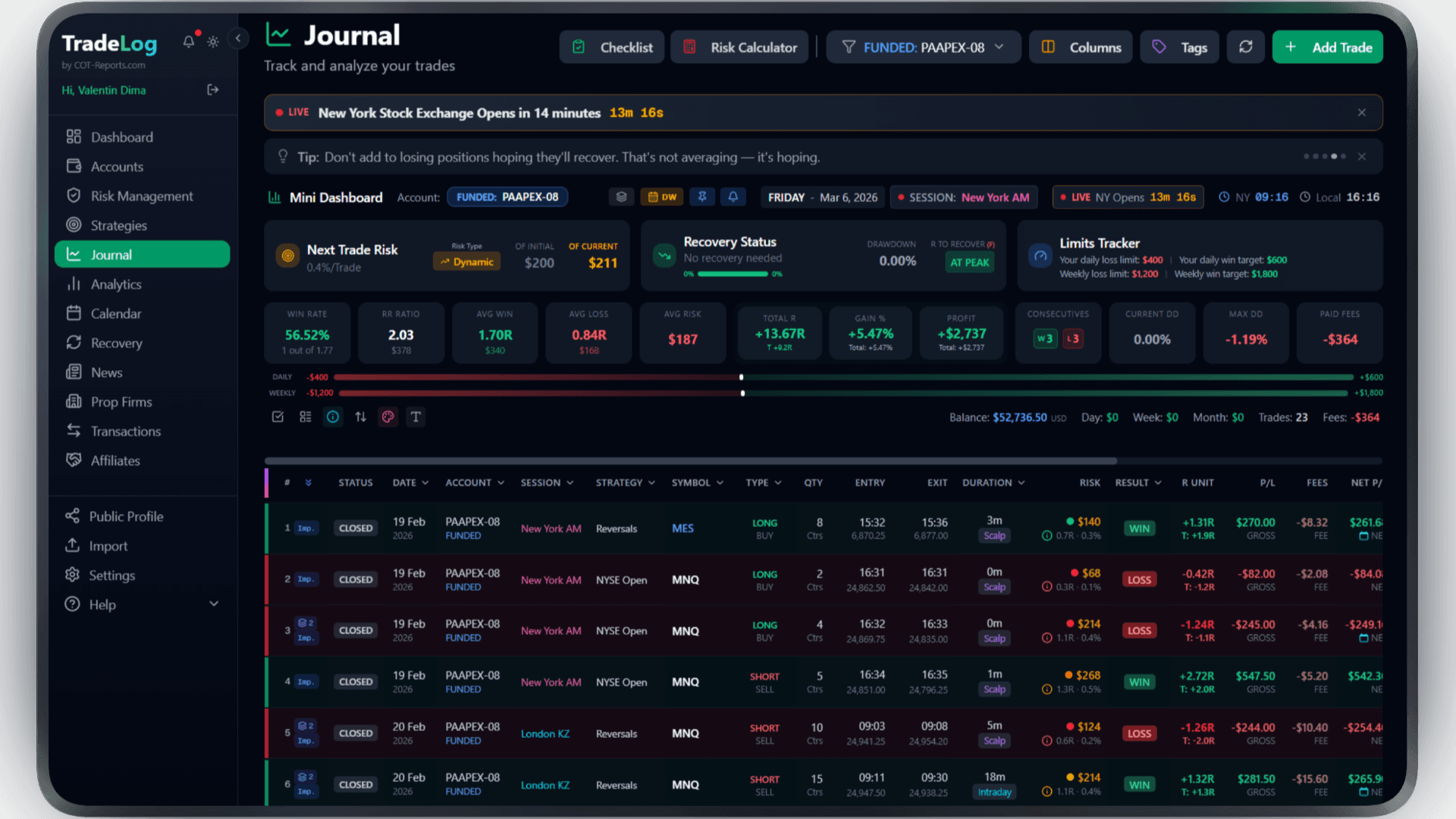
The founder's own prop-firm account (simulated trading). Not a typical result. Past performance does not guarantee future results.
Risk Calculator
Calculate position size based on your risk percentage and stop loss. Fixed, compounding, or drawdown-aware modes.
Pre-Trade Checklist
Build a custom checklist for your strategy. Verify every condition before entering - no more impulsive trades.
Trade Grading
Grade each trade based on setup quality. A+, A, B grades track your discipline over time.
Decision Tree
Create a step-by-step decision flow for entries. Follow the tree, check the items, get your grade.
Model Analyzer
See which grades and decision paths produce the best results. Data-driven strategy refinement.
Advanced Analytics
R-efficiency, session performance, symbol breakdown, trade duration analysis - all in one dashboard.
Frequently Asked Questions
Everything you need to know about cTrader API integration
What is the difference between cBot sync and API sync?
The cBot runs inside cTrader Automate and syncs trades in real-time as they close. API sync connects via OAuth and fetches trades on demand - no software installation needed. API sync also supports historical data import from any date range.
Is the API connection free?
There is no separate fee. cTrader and Spotware do not charge for access to the Open API, and on TradeLog the connection is included with the Basic and Premium plans at no extra cost.
How long does the connection last?
The OAuth token is valid for 30 days and refreshes automatically. You should not need to reconnect unless you revoke access from your cTrader account settings.
Which prop firms are supported?
Any prop firm that uses cTrader as their trading platform is supported, including FTMO, FundedNext, PipFarm, Alpha Capital Group, Funding Pips, FunderPro, Rebels Funding, and many more.
Can I use both cBot and API sync?
Yes, but we recommend using only one method per account to avoid duplicate trades. If you switch from cBot to API sync, any already-synced trades will be detected and skipped automatically.
Brokers that use cTrader API
Trade cTrader API at any of these and TradeLog can read the account.
Also works with: cTrader, MetaTrader 5, TradingView — View all platforms
Ready to Track Your cTrader API Trades?
Join traders who use TradeLog to analyze their performance and improve their results.
No credit card required