
cTrader Trading Journal
cTrader is the platform of choice for forex and CFD traders who demand fast execution, advanced charting, and level II pricing. TradeLog connects directly to cTrader via a free cBot that automatically logs every trade you take - so you can focus on trading while your journal builds itself.
Visit cTrader official website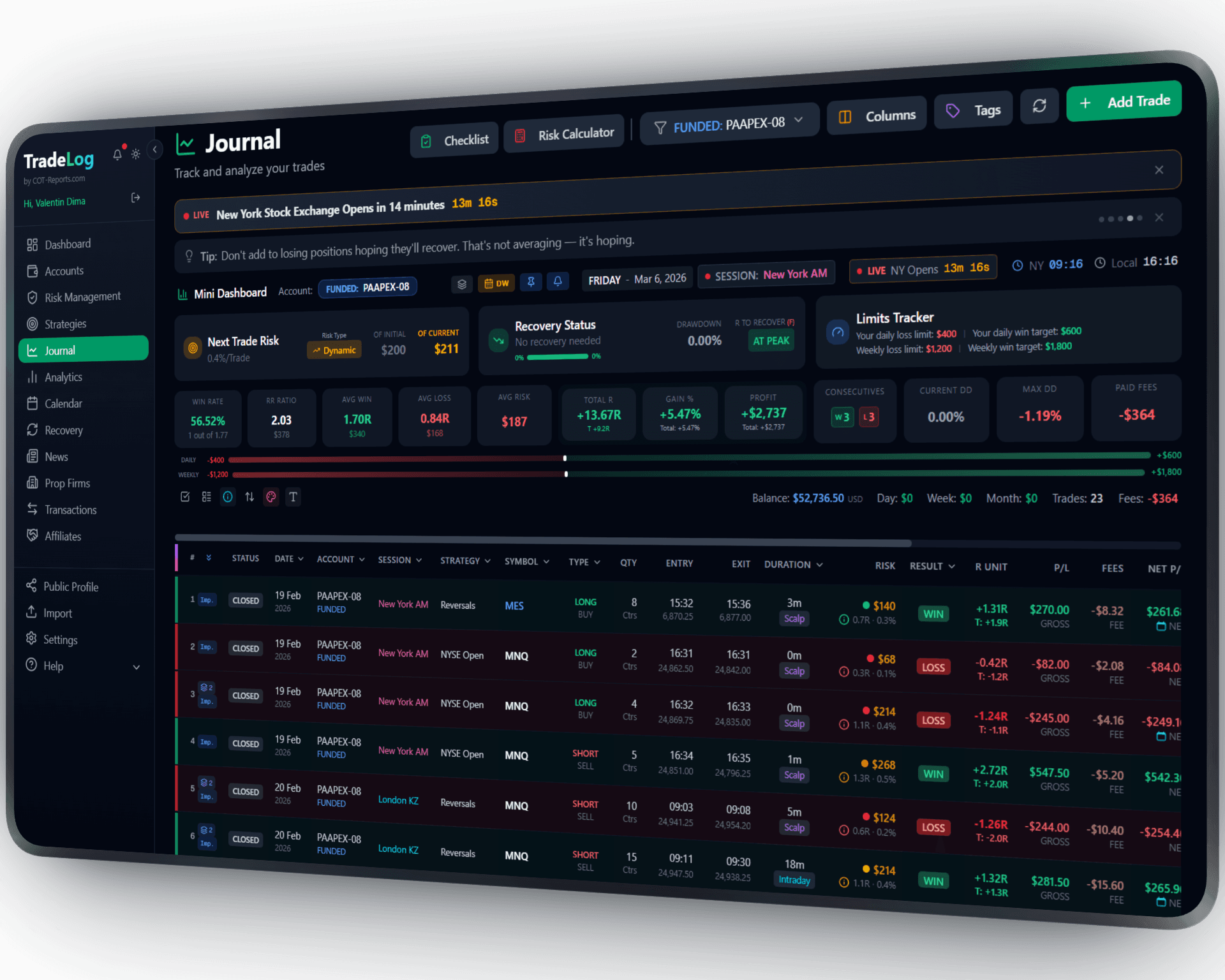
The founder's own prop-firm account (simulated trading). Not a typical result. Past performance does not guarantee future results.
cBot
How It Works
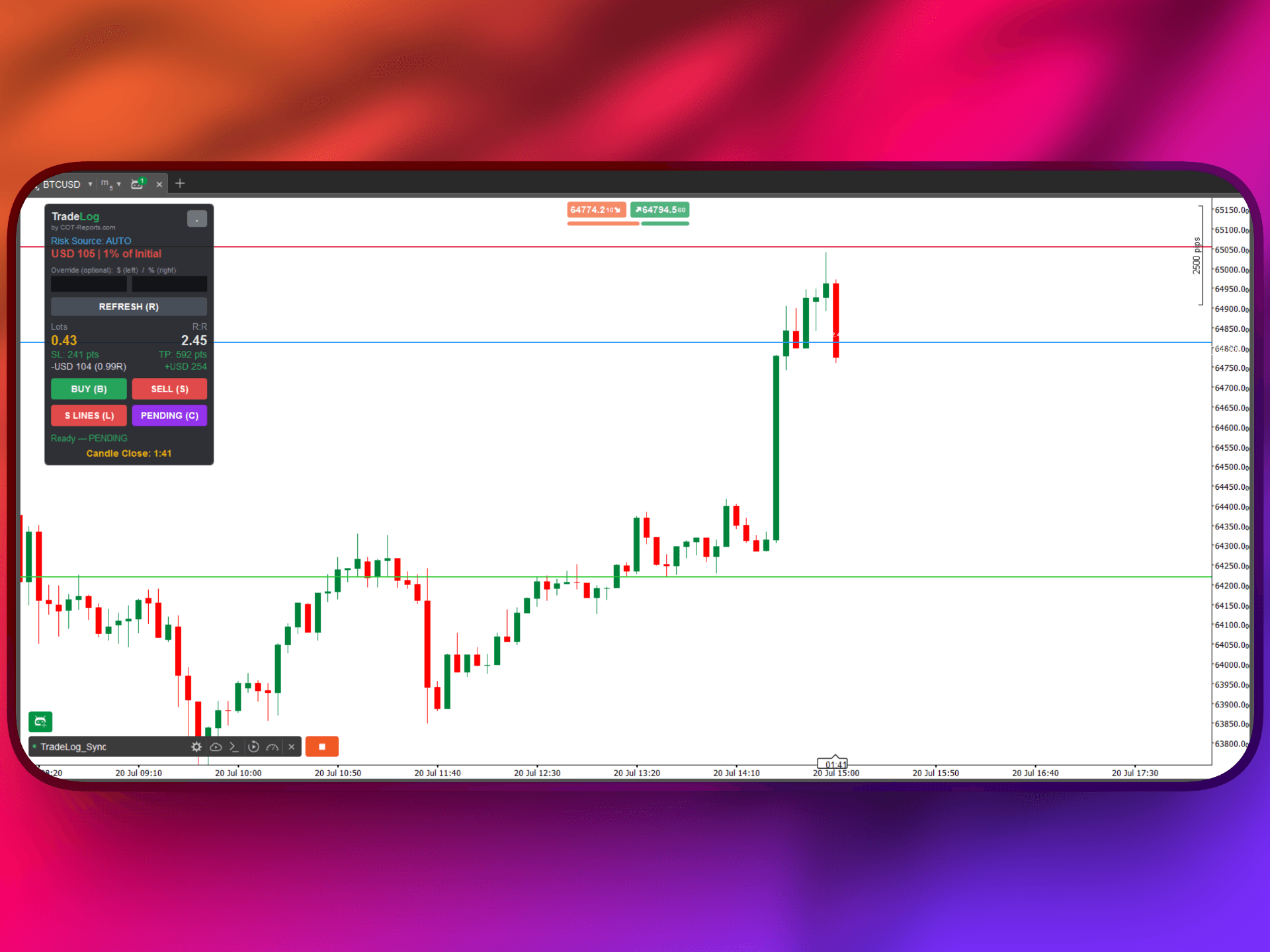
Our lightweight cBot runs inside cTrader Automate and sends your trades to TradeLog in real-time. Every entry, exit, and modification is captured automatically with full trade details including stop loss, take profit, and position size.
Download the cBot
Get the free TradeLog cBot from your TradeLog dashboard. It's a small .algo file that takes seconds to download.
Install in cTrader Automate
Open cTrader Automate, drag the cBot file into the cBots folder, and it will appear in your list automatically.
Enter Your API Key
Paste your TradeLog API key into the cBot parameters and click Start. Your trades will begin syncing instantly.
Set up in seconds. Works automatically from there.
Want the complete walkthrough?
Read the full cTrader User Guide -- install, connect, every setting explained, plus how to use the on-chart tools with or without a TradeLog account.
 cTrader&TradeLog
Instant Trade Sync
Trades are sent to your journal the moment they close. No delays, no manual entry - every trade is logged automatically in real-time.
Works with All cTrader Brokers
Compatible with every cTrader broker including IC Markets, Pepperstone, FxPro, Spotware partners, and more. If it runs cTrader, it works with TradeLog.
Prop Firm Compatible
Many prop firms use cTrader as their trading platform. Track your evaluation progress, monitor drawdown limits, and check payout eligibility directly in TradeLog.
On-Chart Position Sizer
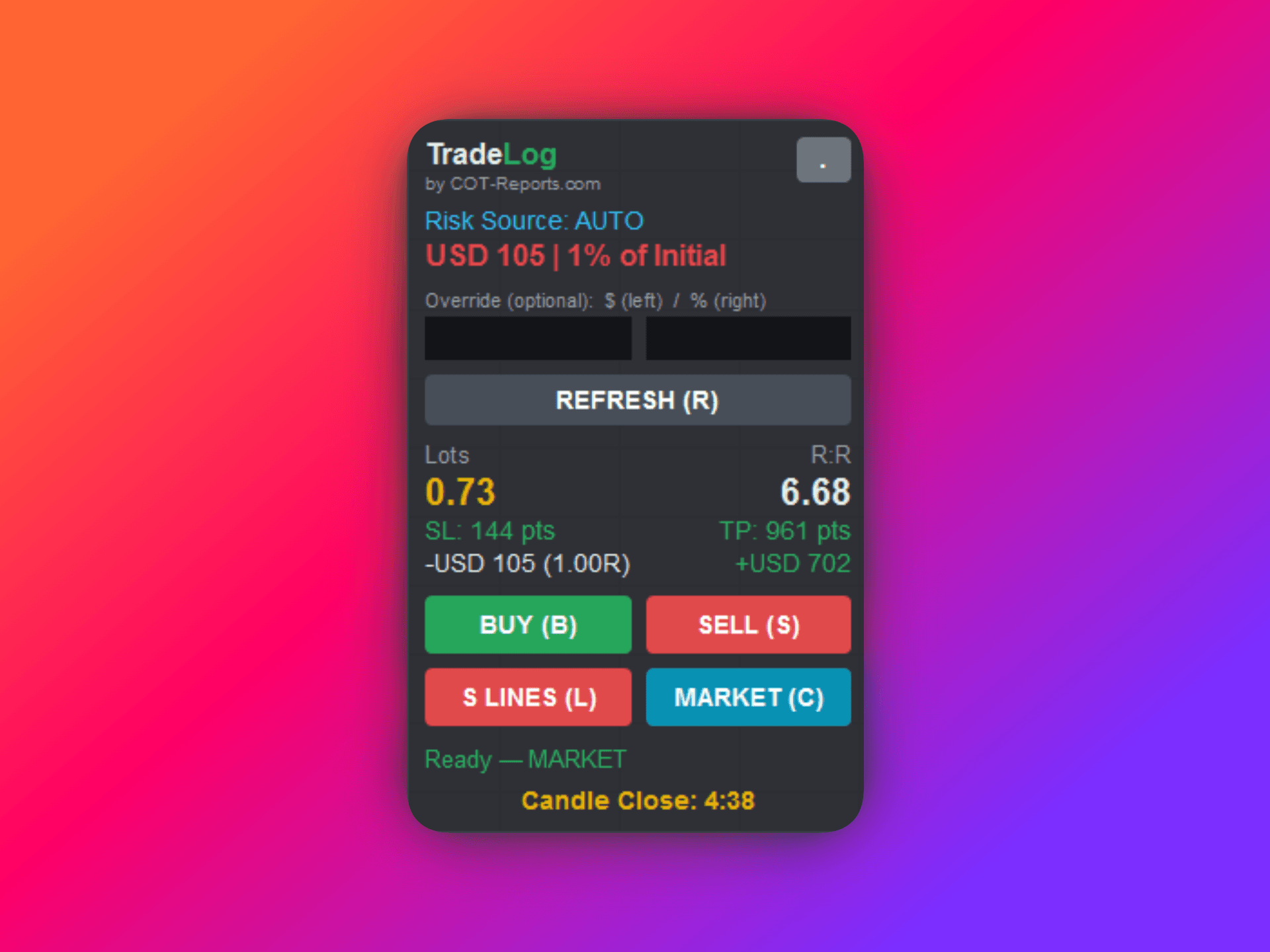
The cBot draws Entry/SL/TP lines and calculates your exact lot size from your risk -- using your TradeLog risk profile (auto) or a manual percentage. The stop-loss planning line even auto-tracks price. Full forex, metals, indices, and CFD support.
Full Trade Details
Every synced trade includes entry and exit prices, stop loss, take profit, position size, fees, swap, and execution timestamps.
Advanced Analytics
Analyze your cTrader performance with equity curves, win rate breakdowns, session analysis, and strategy-based grading to find your edge.
Sharpen Your Trading Edge
Go beyond logging trades. Build discipline, grade your setups, and let data guide your improvement.
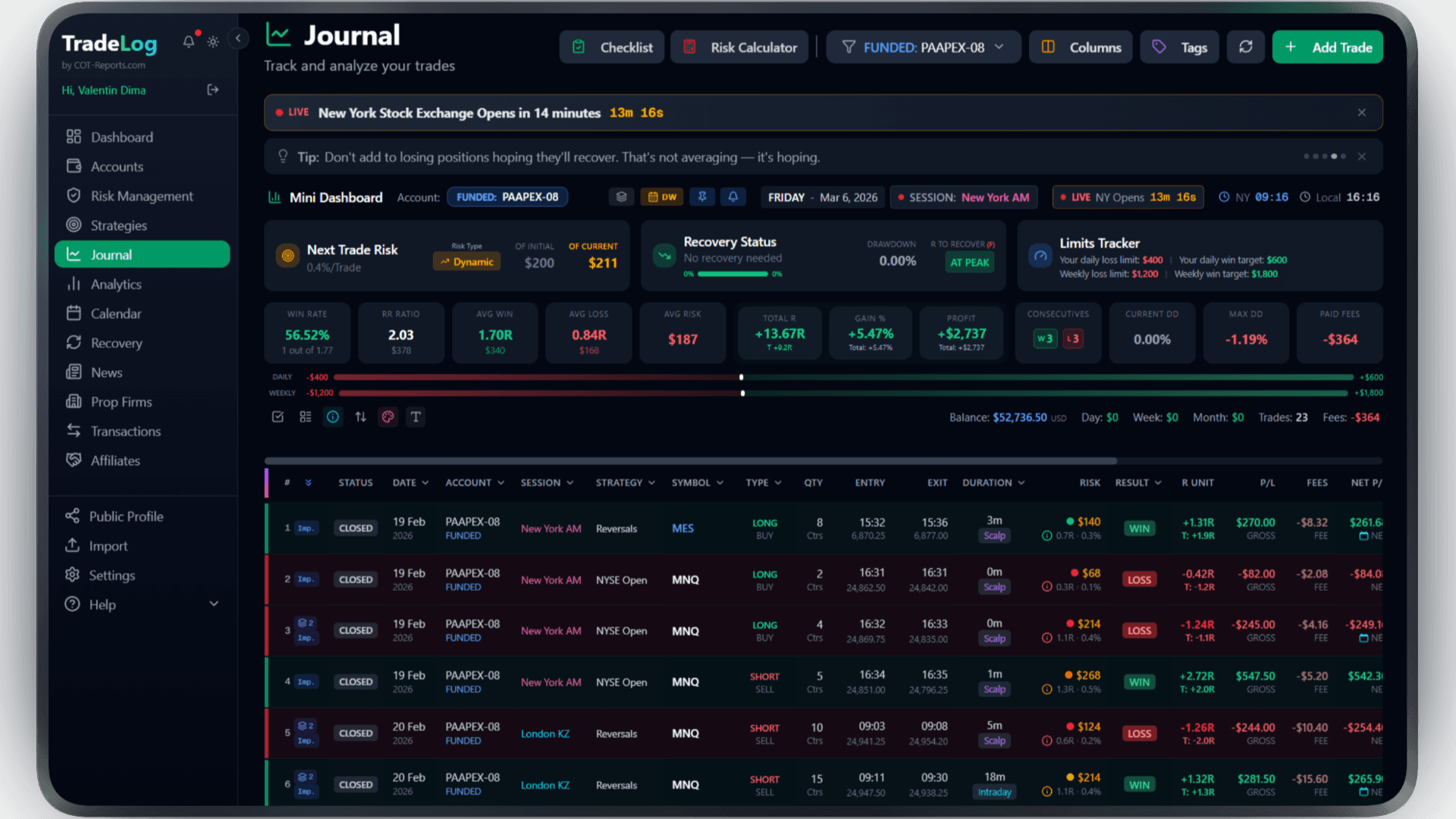
The founder's own prop-firm account (simulated trading). Not a typical result. Past performance does not guarantee future results.
Risk Calculator
Calculate position size based on your risk percentage and stop loss. Fixed, compounding, or drawdown-aware modes.
Pre-Trade Checklist
Build a custom checklist for your strategy. Verify every condition before entering - no more impulsive trades.
Trade Grading
Grade each trade based on setup quality. A+, A, B grades track your discipline over time.
Decision Tree
Create a step-by-step decision flow for entries. Follow the tree, check the items, get your grade.
Model Analyzer
See which grades and decision paths produce the best results. Data-driven strategy refinement.
Advanced Analytics
R-efficiency, session performance, symbol breakdown, trade duration analysis - all in one dashboard.
Frequently Asked Questions
Everything you need to know about cTrader integration
What is the TradeLog cBot and is it free?
The TradeLog cBot is a lightweight automated script that runs inside cTrader Automate. It monitors your trading activity and sends closed trade data to your TradeLog journal. It costs nothing extra: it comes with every TradeLog plan that includes robots.
Does the cBot affect my trading performance?
No. The cBot is lightweight and does not consume significant resources. The sync only reads trades. The cBot places a trade only when you click its buttons, and closes part of a position only if you turn on Strict Risk.
Which cTrader brokers are supported?
The cBot works with every broker that offers the cTrader platform, including IC Markets, Pepperstone, FxPro, Fondex, and all other Spotware-licensed brokers. If your broker provides cTrader, the cBot will work.
Can I use the cBot on a prop firm cTrader account?
Yes. Many prop firms such as FTMO, The5ers, and others offer cTrader accounts. The cBot is fully compatible with prop firm accounts. You can also enable prop firm tracking in TradeLog to monitor drawdown limits and payout eligibility.
Do I need to keep cTrader open for sync to work?
Yes, the cBot runs inside cTrader Automate, so cTrader needs to be open and the cBot must be running for trades to sync. If cTrader is closed, any trades taken during that time will not be synced automatically - but you can always add them manually or via CSV import.
Does the cBot include a position size calculator?
Yes. Beyond syncing trades, the cBot adds an on-chart Position Size Calculator with Entry/SL/TP lines and automatic lot sizing -- from your TradeLog risk profile (auto) or a manual percentage -- plus a stop-loss planning line that auto-tracks price. Note: unlike the MetaTrader EA, the cBot does not include the candle countdown or the strict-risk auto-trim.
Can I use the cBot without a TradeLog account?
Yes. Run it in Manual mode with an empty API key and the on-chart Position Size Calculator and SL auto-track work locally. Auto-sync to your journal needs an API key (on the TradeLog plans that include robots). Prefer no install at all? Use the cTrader API (OAuth) connection instead -- it syncs daily with no software, but without the on-chart calculator.
Brokers that use cTrader
Trade cTrader at any of these and TradeLog can read the account.
Also works with: MetaTrader 4, MetaTrader 5, TradingView — View all platforms
Ready to Track Your cTrader Trades?
Join traders who use TradeLog to analyze their performance and improve their results.
No credit card required