
MultiCharts Trading Journal
MultiCharts is a professional trading platform built for strategy automation and backtesting, featuring EasyLanguage and PowerLanguage compatibility, portfolio backtesting, multi-data charting, and reliable automated execution. Since MultiCharts connects to futures markets through Rithmic, TradeLog captures every trade automatically — whether placed manually or by your automated strategies — just connect your Rithmic account.
Visit MultiCharts official website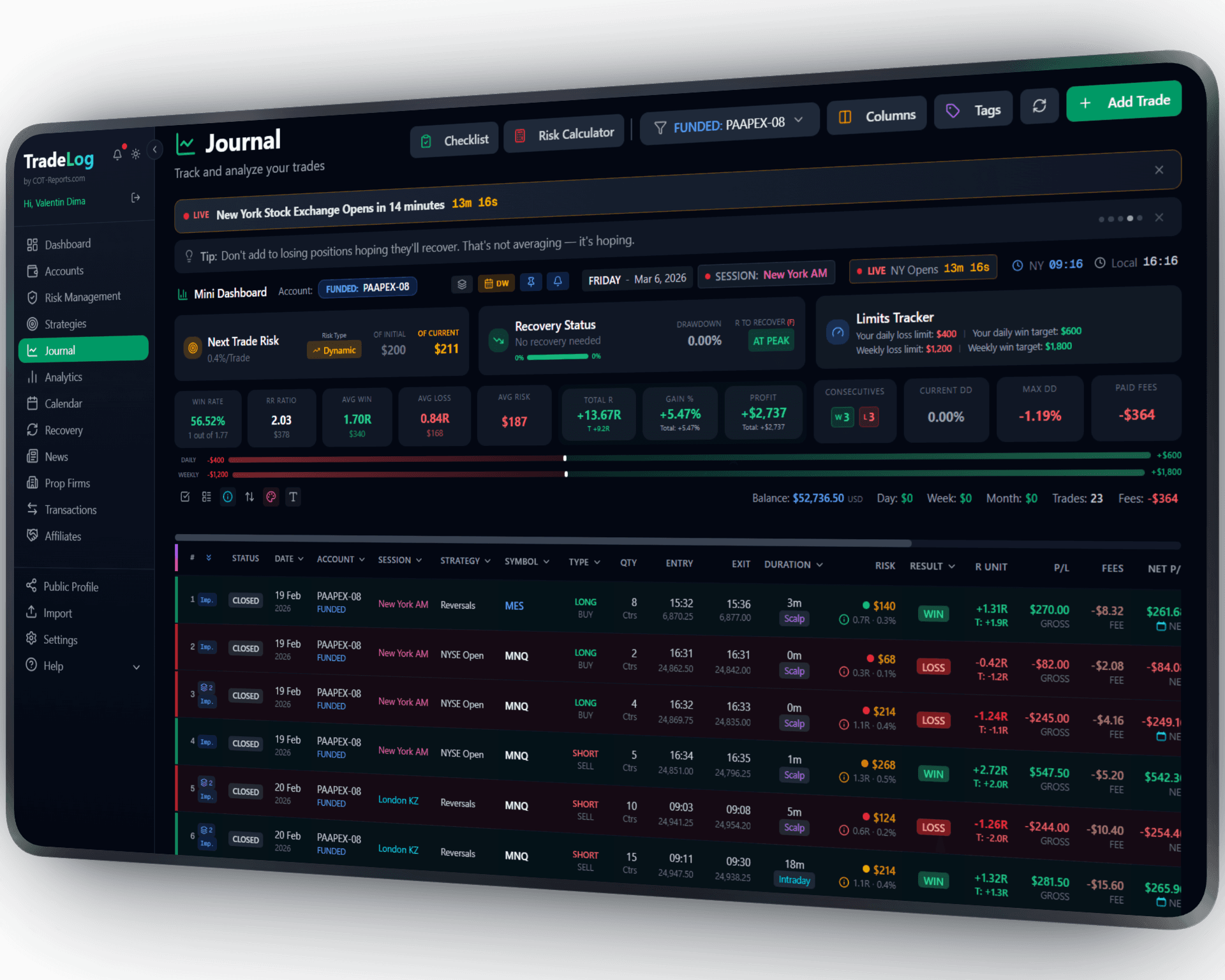
The founder's own prop-firm account (simulated trading). Not a typical result. Past performance does not guarantee future results.
How It Works
MultiCharts routes futures orders through Rithmic for execution. When you sync your Rithmic account with TradeLog, all trades placed through MultiCharts — both manual and automated — are automatically included.
Connect Your Rithmic Account
In TradeLog, go to Connections > Rithmic. Enter your Rithmic credentials — the same ones you use to connect MultiCharts to the markets.
MultiCharts Trades Auto-Sync
Every trade placed through MultiCharts — manual or automated — is routed via Rithmic. TradeLog pulls these trades automatically with full execution details.
Analyze Your Performance
Use TradeLog analytics to review your MultiCharts trading — equity curves, win rates, session analysis, strategy comparison, prop firm tracking, and more.
Set up in seconds. Works automatically from there.
 MultiCharts&TradeLog
Strategy Automation Meets Journaling
Combine MultiCharts' automated strategy execution and backtesting with TradeLog's analytics. Compare live strategy performance against backtested expectations.
Rithmic Auto-Sync
No extra plugins needed. MultiCharts uses Rithmic for futures execution, so connecting your Rithmic account to TradeLog captures all your trades — manual and automated — automatically.
Prop Firm Tracking
Track drawdown rules, profit targets, and payout eligibility for your prop firm accounts. Works with Apex, TopStep, Bulenox, and 20+ Rithmic-based firms.
Full Analytics Suite
Access equity curves, win rate, R-multiples, session analysis, trade grading, and all TradeLog features with your synced MultiCharts trades.
Historical Import
Pull historical trade data from any date range through your Rithmic connection. Import your complete MultiCharts trading history — including automated strategy trades.
Duplicate Prevention
Smart deduplication ensures trades are never imported twice, even when syncing overlapping date ranges across multiple strategies and sessions.
Sharpen Your Trading Edge
Go beyond logging trades. Build discipline, grade your setups, and let data guide your improvement.
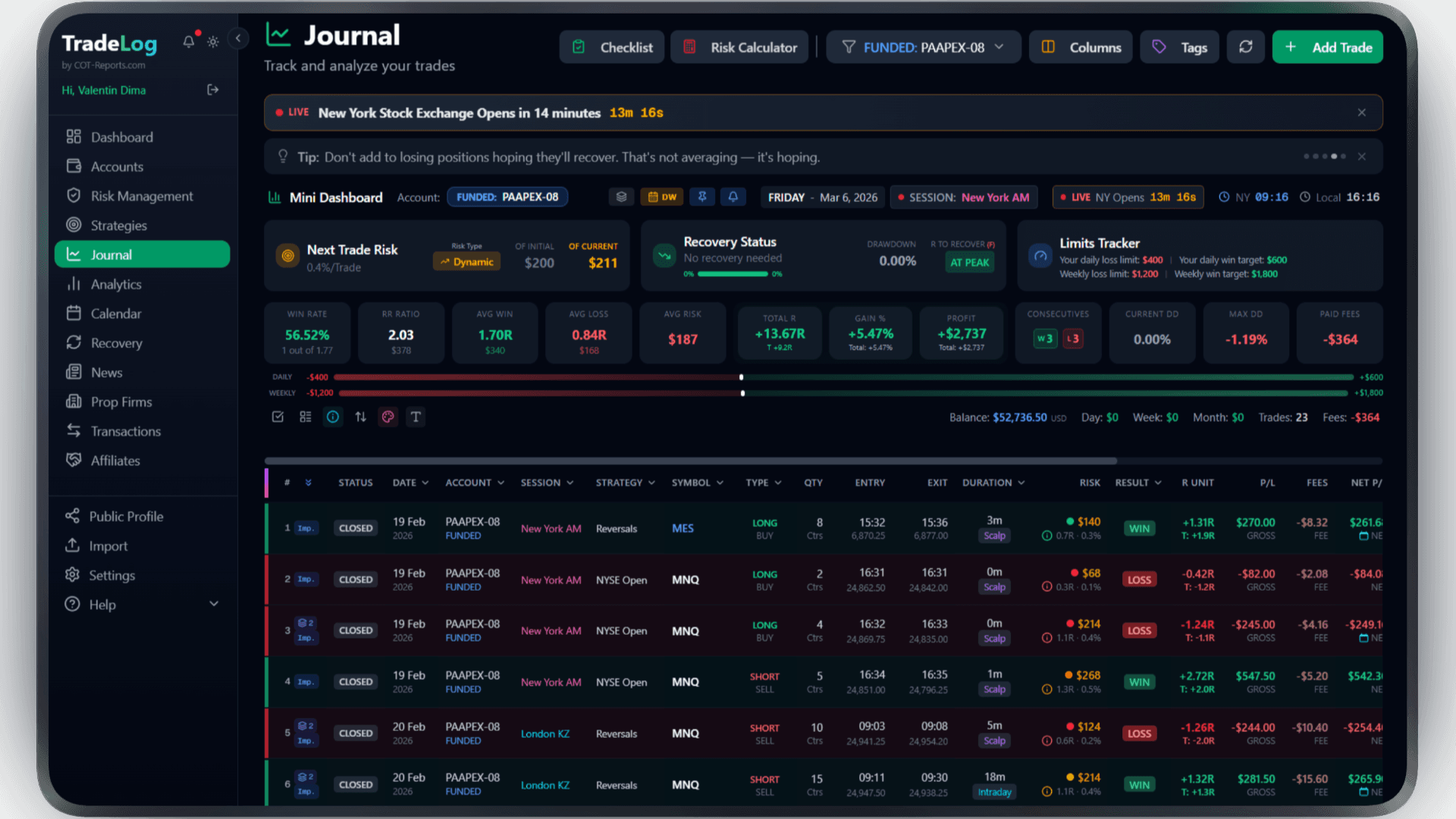
The founder's own prop-firm account (simulated trading). Not a typical result. Past performance does not guarantee future results.
Risk Calculator
Calculate position size based on your risk percentage and stop loss. Fixed, compounding, or drawdown-aware modes.
Pre-Trade Checklist
Build a custom checklist for your strategy. Verify every condition before entering - no more impulsive trades.
Trade Grading
Grade each trade based on setup quality. A+, A, B grades track your discipline over time.
Decision Tree
Create a step-by-step decision flow for entries. Follow the tree, check the items, get your grade.
Model Analyzer
See which grades and decision paths produce the best results. Data-driven strategy refinement.
Advanced Analytics
R-efficiency, session performance, symbol breakdown, trade duration analysis - all in one dashboard.
Frequently Asked Questions
Everything you need to know about MultiCharts integration
How does MultiCharts connect to TradeLog?
MultiCharts uses Rithmic for futures order routing and execution. When you connect your Rithmic account to TradeLog, all trades placed through MultiCharts — both manual and automated — are automatically synced.
Do I need any extra setup besides Rithmic?
No. If MultiCharts is already connected to Rithmic for trading, just connect the same Rithmic account to TradeLog. Your MultiCharts trades will appear automatically.
Which markets are supported?
All futures markets available through your Rithmic connection — including ES, NQ, YM, CL, GC, and all CME, CBOT, NYMEX, and COMEX products.
Can I track prop firm rules with MultiCharts trades?
Yes. TradeLog has built-in presets for 11 prop firms. Your MultiCharts trades synced via Rithmic are automatically tracked against drawdown limits, profit targets, and payout eligibility.
Brokers that use MultiCharts
Trade MultiCharts at any of these and TradeLog can read the account.
Also works with: NinjaTrader, TradingView, Rithmic — View all platforms
Ready to Track Your MultiCharts Trades?
Join traders who use TradeLog to analyze their performance and improve their results.
No credit card required