
MetaTrader 4 Trading Journal
Automatically sync every trade from MetaTrader 4 -- the world's most popular forex trading platform -- directly into your journal. Our free 3-in-1 Expert Advisor logs entries, exits, stop losses, and take profits in real-time so you never have to enter a trade manually again.
Visit MetaTrader 4 official website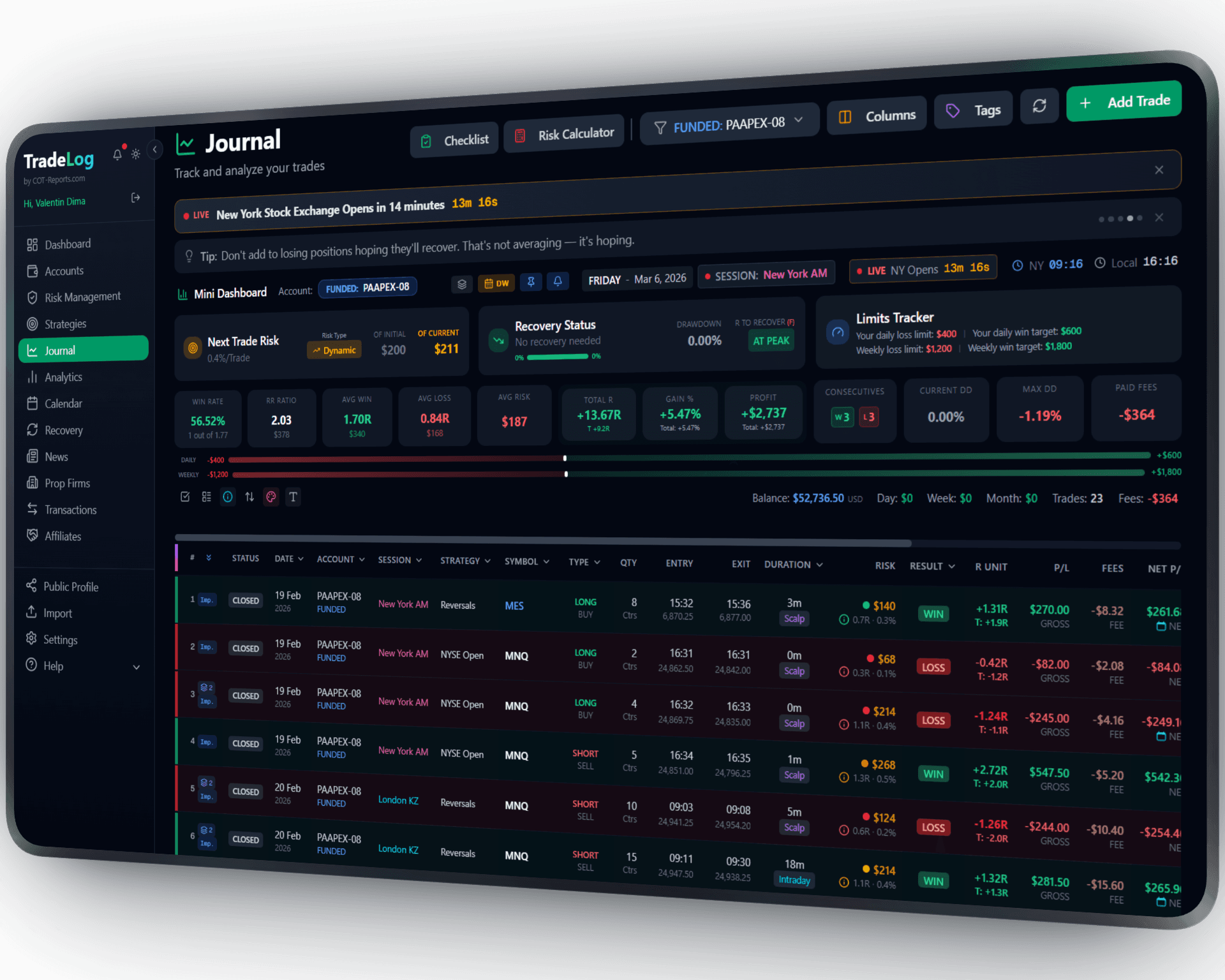
The founder's own prop-firm account (simulated trading). Not a typical result. Past performance does not guarantee future results.
Expert Advisor
How It Works
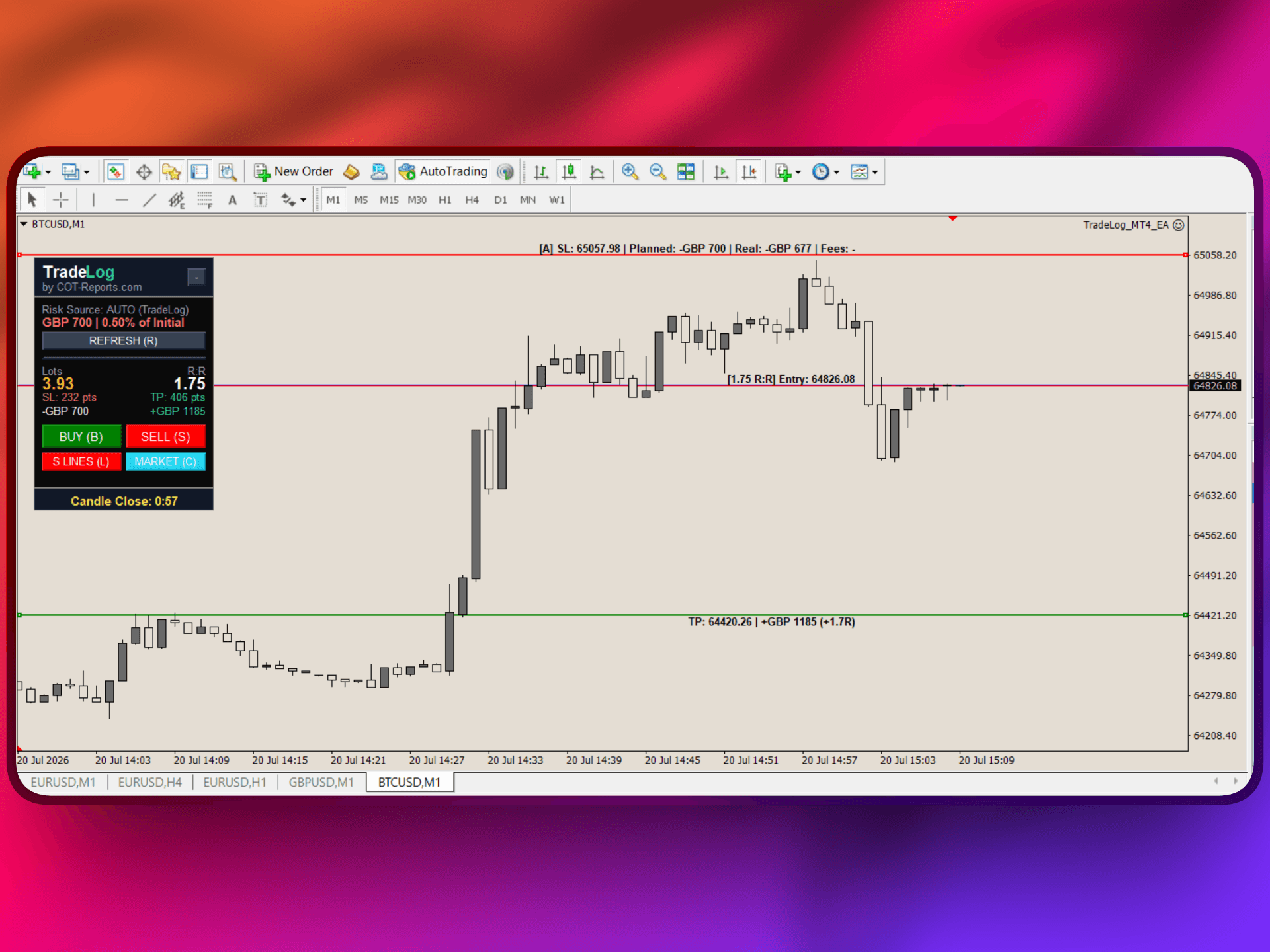
Install our lightweight Expert Advisor on any MT4 chart. It runs silently in the background, detecting every trade you open or close and sending the data to your TradeLog journal in real-time via a secure API connection.
Download the EA
Download the free TradeLog 3-in-1 Expert Advisor (.ex4 file) from your TradeLog dashboard. No purchase required -- it comes with every TradeLog plan that includes robots.
Install on Any Chart
Copy the EA file into your MT4 Experts folder and attach it to any chart. It works globally across all symbols and timeframes from a single chart.
Paste Your API Key
Generate an API key in your TradeLog settings and paste it into the EA input parameters. Trades will start syncing automatically within seconds.
Set up in seconds. Works automatically from there.
Want the complete walkthrough?
Read the full MetaTrader 4 User Guide -- install, connect, every setting explained, plus how to use the on-chart tools with or without a TradeLog account.
 MetaTrader 4&TradeLog
Real-Time Trade Sync
Every trade is captured the moment it opens or closes. Entry price, exit price, PnL, lot size, stop loss, take profit, and timestamps are all logged automatically.
All-in-One Expert Advisor
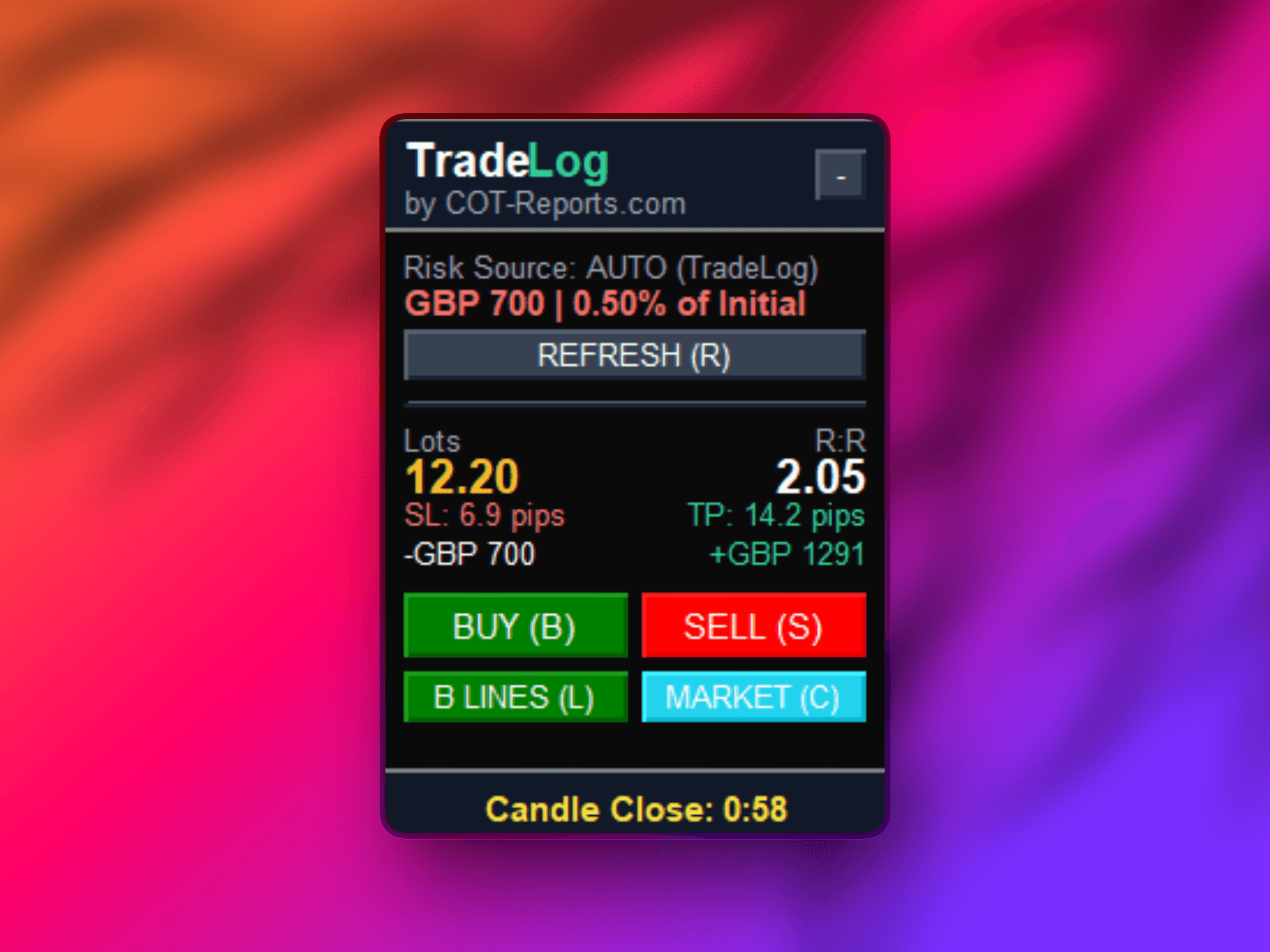
More than a trade logger. The EA adds an on-chart Position Size Calculator (auto or manual risk), a stop-loss planning line that auto-tracks price, an optional strict-risk auto-trim, and a candle countdown -- all in one lightweight package.
Prop Firm Compatible
Works with all major prop firm evaluations and funded accounts. The EA uses minimal resources and runs alongside any other EAs on your terminal.
Works with All MT4 Brokers
Compatible with every MetaTrader 4 broker worldwide. Whether you trade with IC Markets, Pepperstone, FTMO, or any other broker, the EA integrates without any configuration changes.
Detailed Performance Analytics
Once your trades are synced, unlock powerful analytics including equity curves, win rate breakdowns, session analysis, heatmaps, and strategy-level performance tracking.
All Instruments Supported
Forex pairs, gold, indices, commodities, crypto CFDs -- the EA captures trades on any instrument available in your MT4 terminal without any additional setup.
Sharpen Your Trading Edge
Go beyond logging trades. Build discipline, grade your setups, and let data guide your improvement.
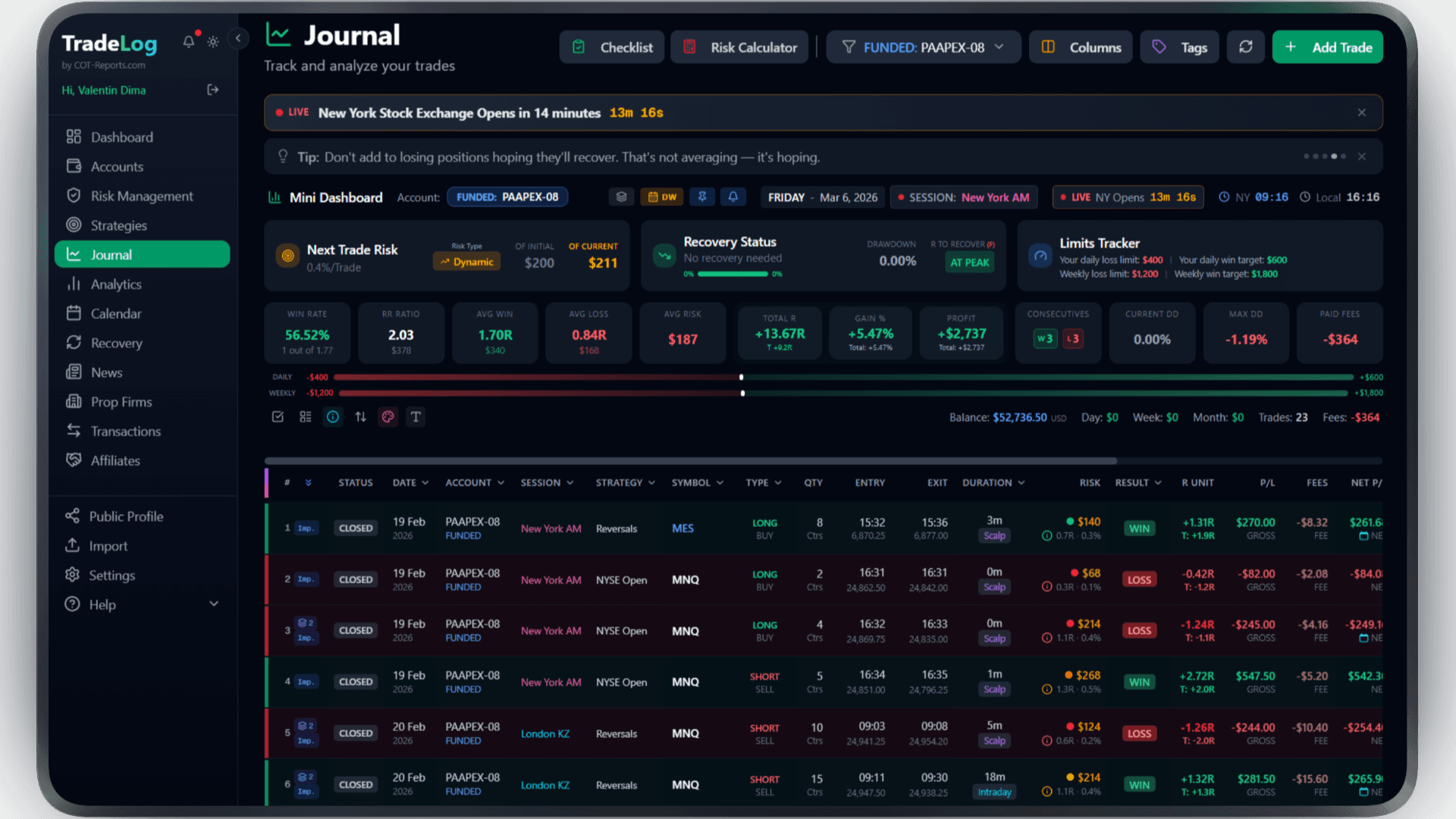
The founder's own prop-firm account (simulated trading). Not a typical result. Past performance does not guarantee future results.
Risk Calculator
Calculate position size based on your risk percentage and stop loss. Fixed, compounding, or drawdown-aware modes.
Pre-Trade Checklist
Build a custom checklist for your strategy. Verify every condition before entering - no more impulsive trades.
Trade Grading
Grade each trade based on setup quality. A+, A, B grades track your discipline over time.
Decision Tree
Create a step-by-step decision flow for entries. Follow the tree, check the items, get your grade.
Model Analyzer
See which grades and decision paths produce the best results. Data-driven strategy refinement.
Advanced Analytics
R-efficiency, session performance, symbol breakdown, trade duration analysis - all in one dashboard.
Frequently Asked Questions
Everything you need to know about MetaTrader 4 integration
Is the Expert Advisor safe to use?
Yes. The EA sends your trade data to TradeLog over a secure HTTPS connection. The sync only reads trades. The robot places a trade only when you click its buttons, and closes part of a position only if you turn on Strict Risk. It has no access to your broker account credentials or funds.
Does the EA affect MT4 performance?
No. The EA is extremely lightweight and uses minimal CPU and memory. It operates asynchronously, meaning it will not slow down your charts, indicators, or other Expert Advisors running on the same terminal.
Which brokers are supported?
The EA works with every MetaTrader 4 broker. There are no broker-specific restrictions. If your broker provides an MT4 terminal, the TradeLog EA will work with it.
Can I use it alongside other EAs?
Yes. The TradeLog EA is designed to coexist with any other Expert Advisors, scripts, or indicators on your MT4 platform. It does not conflict with trading EAs or signal providers.
Do I need to keep MT4 open for trades to sync?
The EA syncs trades while your MT4 terminal is running. If you close MT4 and reopen it later, the EA will detect and sync any trades that were closed while the terminal was off.
Is the EA free?
Yes, the TradeLog EA costs nothing extra: it comes with every TradeLog plan that includes robots, including that plan’s free trial. There are no additional fees or hidden costs for the Expert Advisor.
Does the EA work without a TradeLog account?
Yes. Attach it with an empty API key and it runs fully offline with zero network -- the Position Size Calculator, the Entry/SL/TP lines, the SL auto-track planning line and the candle countdown all work locally. Only the auto-sync to your journal needs an API key (on the TradeLog plans that include robots).
What are the SL auto-track and strict-risk features?
The stop-loss planning line automatically follows the adverse price extreme plus spread, so you stop re-dragging your stop after price runs through it (on by default, planning line only -- it never touches a live order). Separately, an opt-in Manual Strict-Risk mode can auto-trim a position that risks more than you planned. Both are explained step by step in the User Guide.
Brokers that use MetaTrader 4
Trade MetaTrader 4 at any of these and TradeLog can read the account.
Also works with: MetaTrader 5, cTrader, NinjaTrader — View all platforms
Ready to Track Your MetaTrader 4 Trades?
Join traders who use TradeLog to analyze their performance and improve their results.
No credit card required